How Half5 works, in the real app.
Nine steps, from your workday to the invoice in your bookkeeping. Every image comes from Half5 itself, with a sample company.
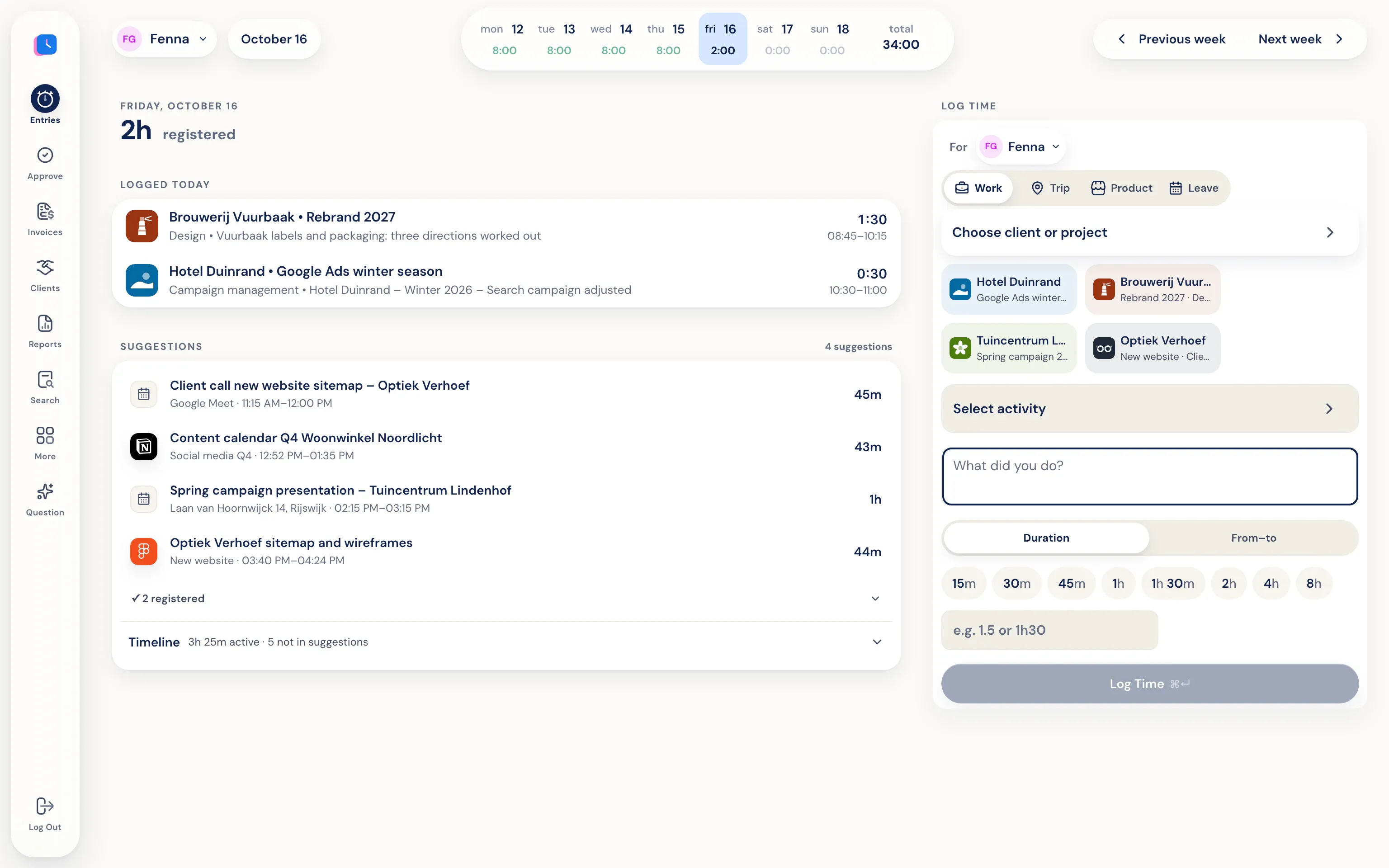
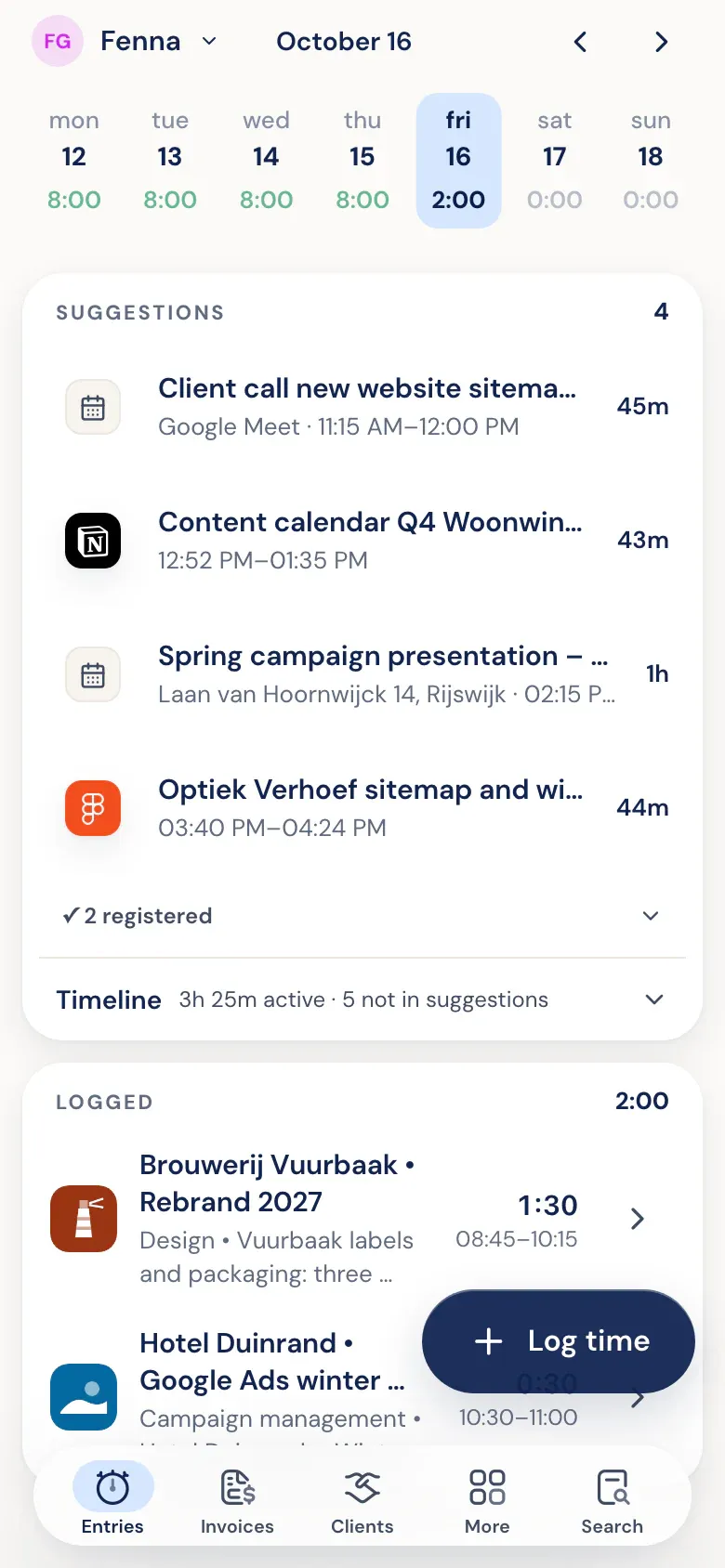
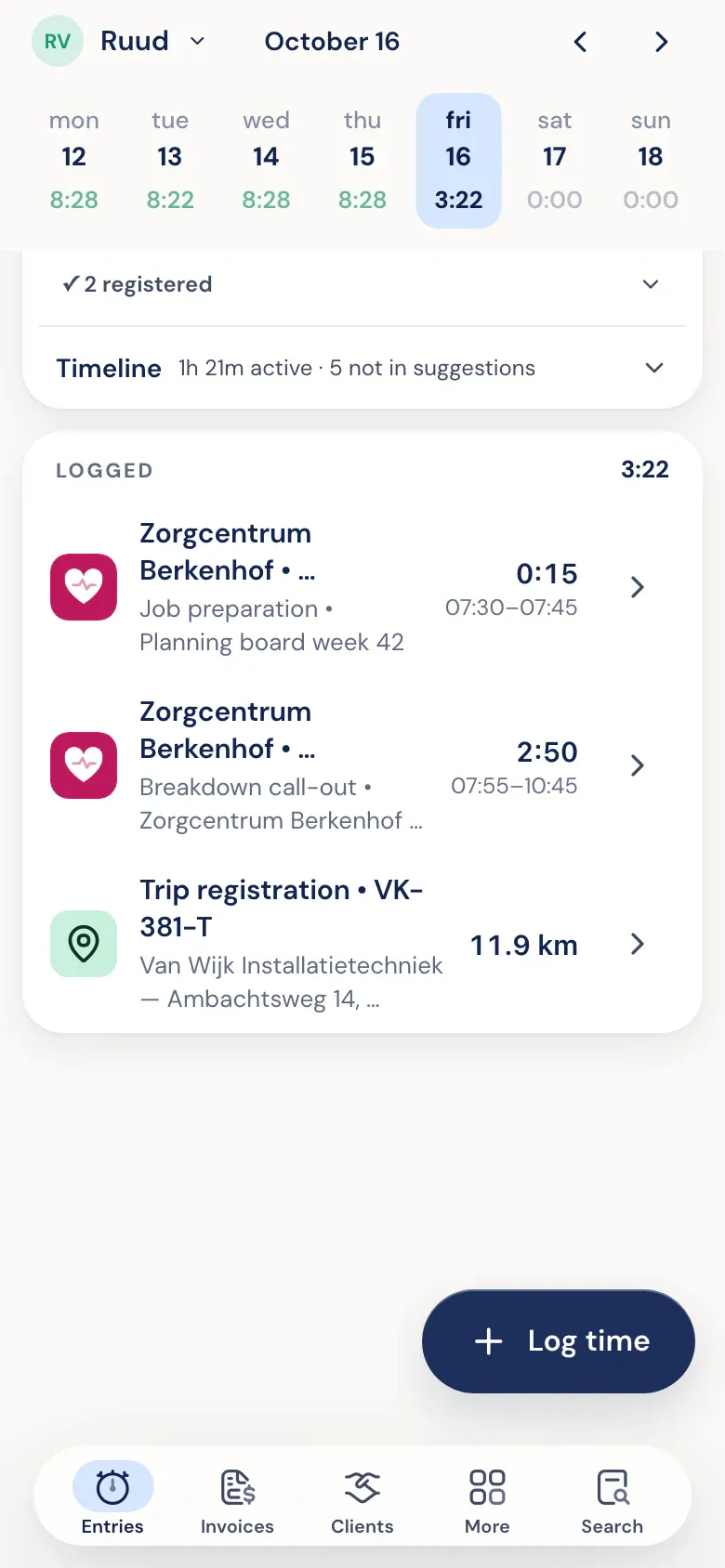
You work. Half5 lines up your day.
The desktop app on your Mac or Windows PC notices which programs, websites, files, commits and AI sessions there were. Your calendar and phone add meetings, visits and drives. Half5 turns that into suggestions, one per block of work.
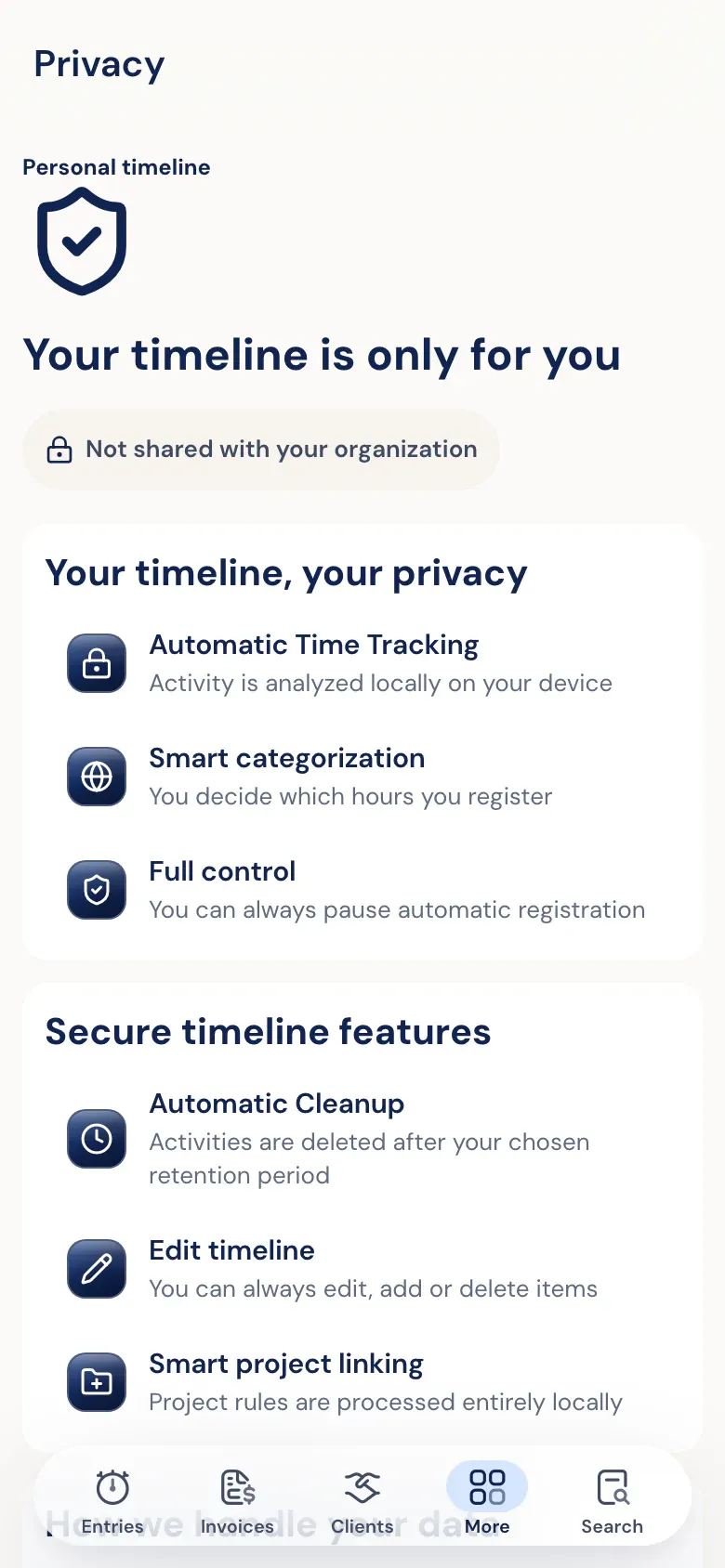
More about the timelineOnly you can read your timeline.
The activity on your timeline is end-to-end encrypted. Your employer can't open it, and neither can Half5's server. No screenshots, no keystrokes. Recognising clients and projects happens on your own device.
Visit the trust centerKeep what's right.
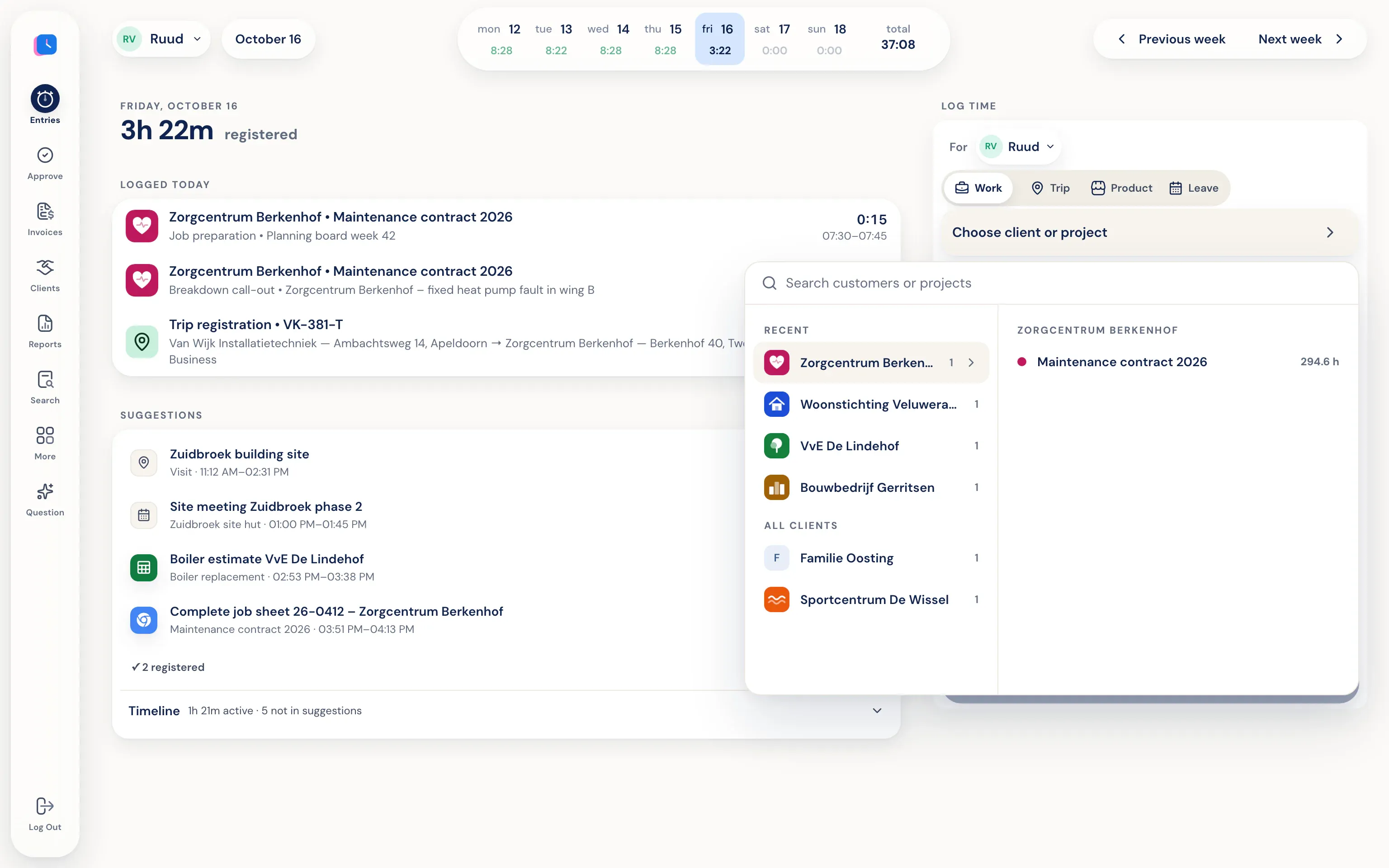
Pick a suggestion and the client, project and time are already in the form. Fix what's off and save. Whatever wasn't work, you leave alone.
More about time trackingYour phone recognises your drives.
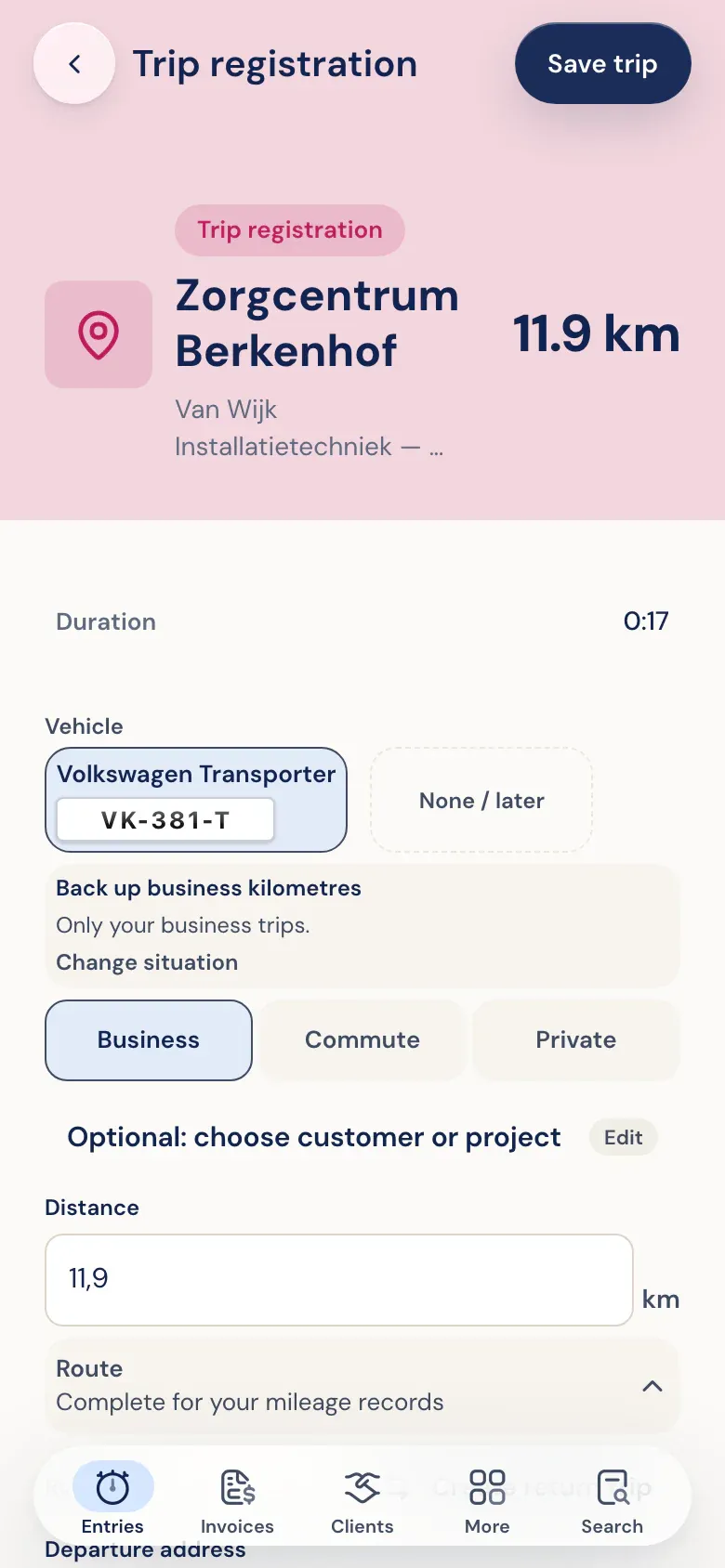
The Half5 app on iPhone or Android notices when you drive and prepares the trip with addresses and distance. You choose business, commute or private. The export is ready for your mileage log.
More about mileage trackingOne calm look a week.
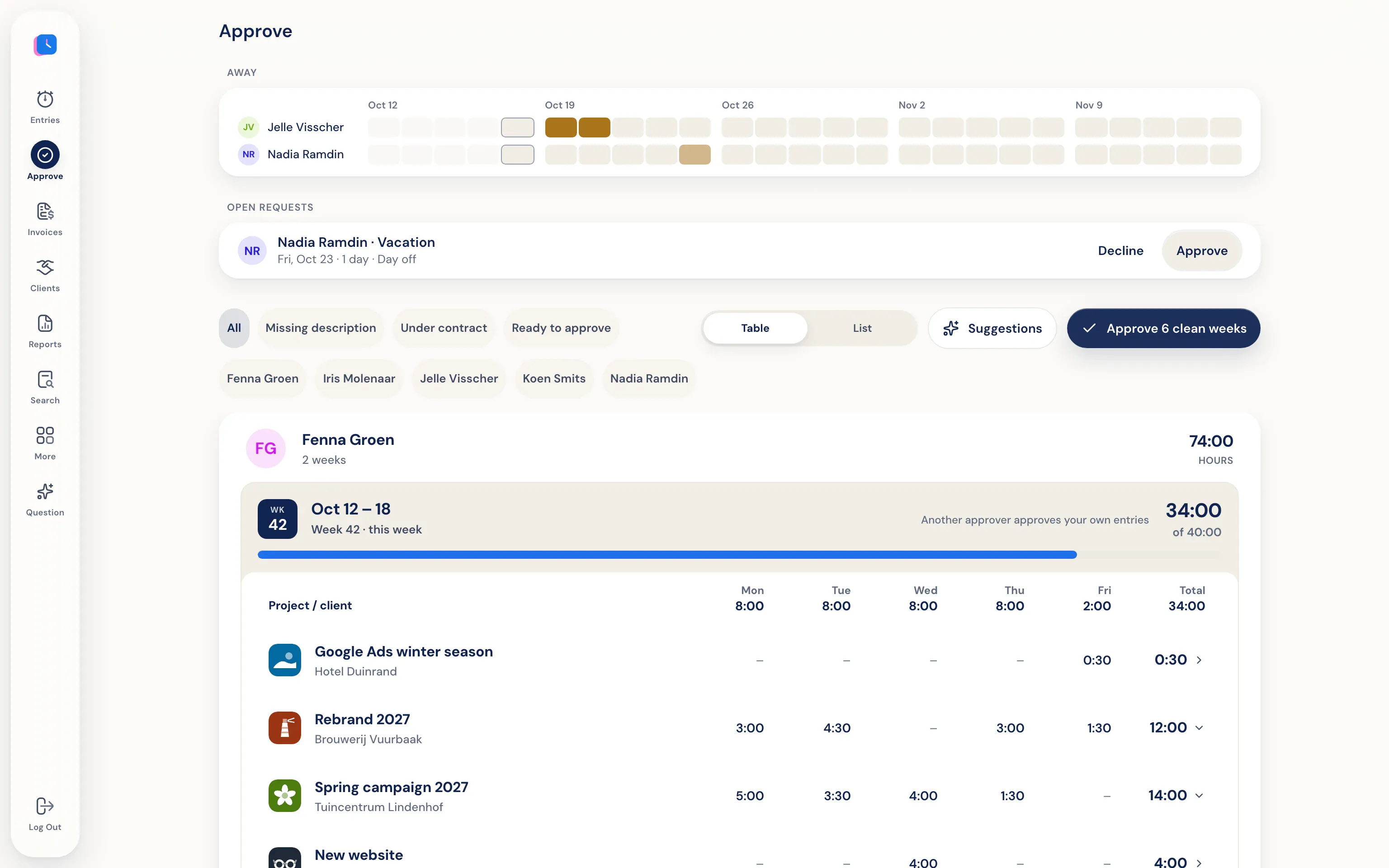
Managers see what each person logged per week, with leave and drives alongside. Approve, or decline with a reason. Someone else approves your own hours.
More about approving hoursApproved hours become an invoice.
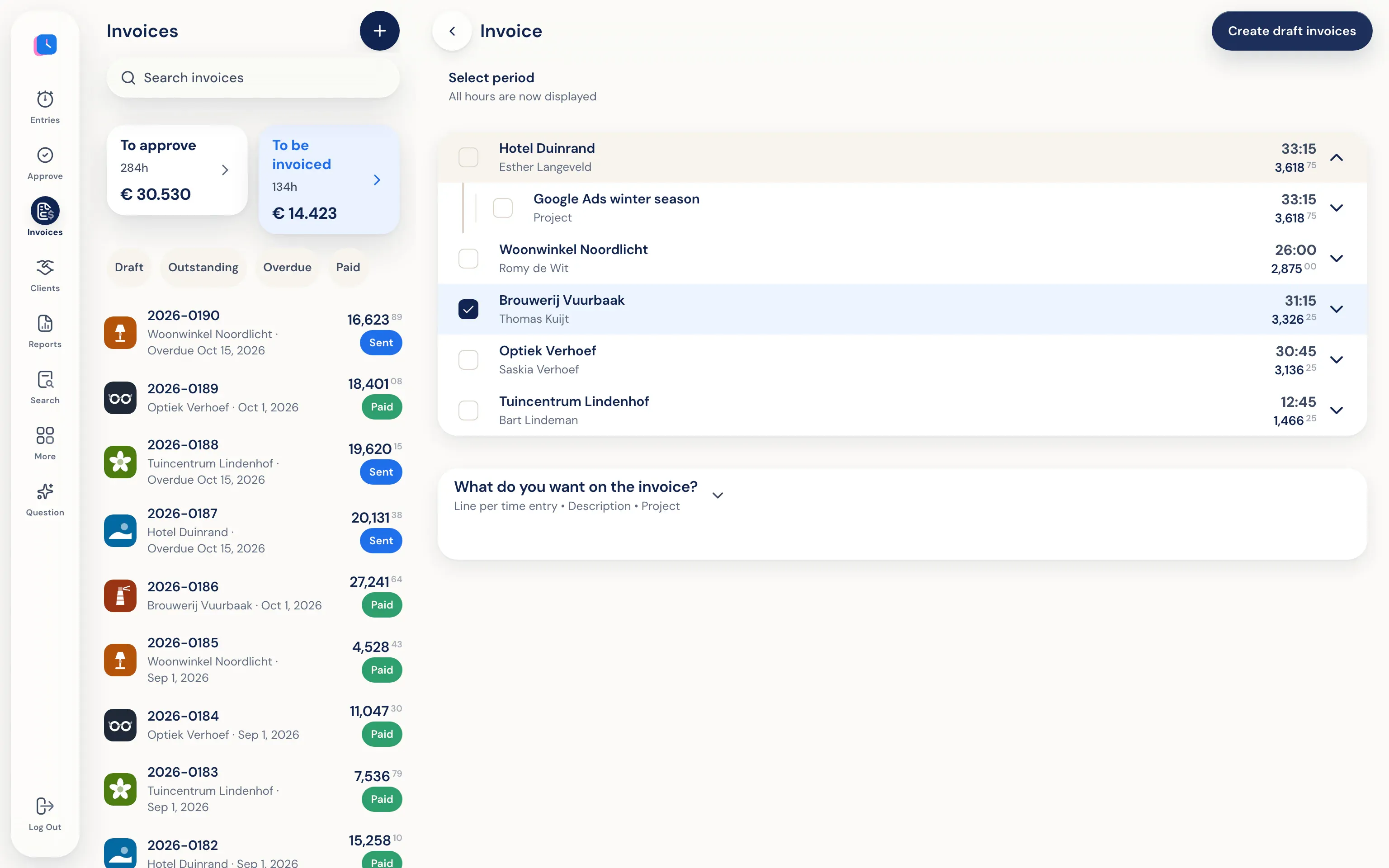
Half5 drafts invoices per client from the approved hours. Check them, download a PDF or send them by email, with a copy to your accountant if you like.
More about invoicingOn to your bookkeeping.
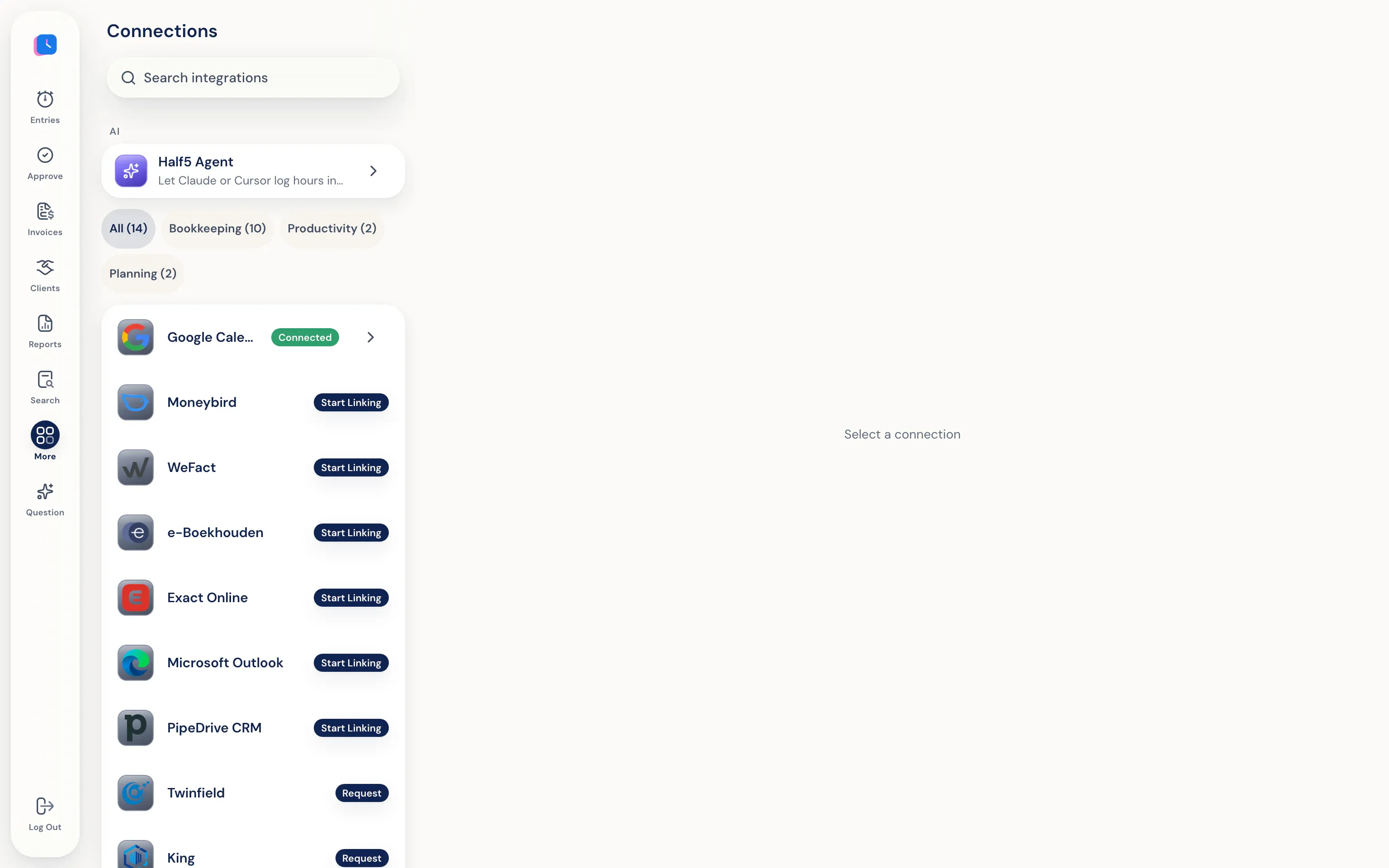
Invoices and contacts go to Moneybird, WeFact, e-Boekhouden or Exact Online. Connect your calendar with Google Calendar or Outlook.
All integrationsSee where the time goes.
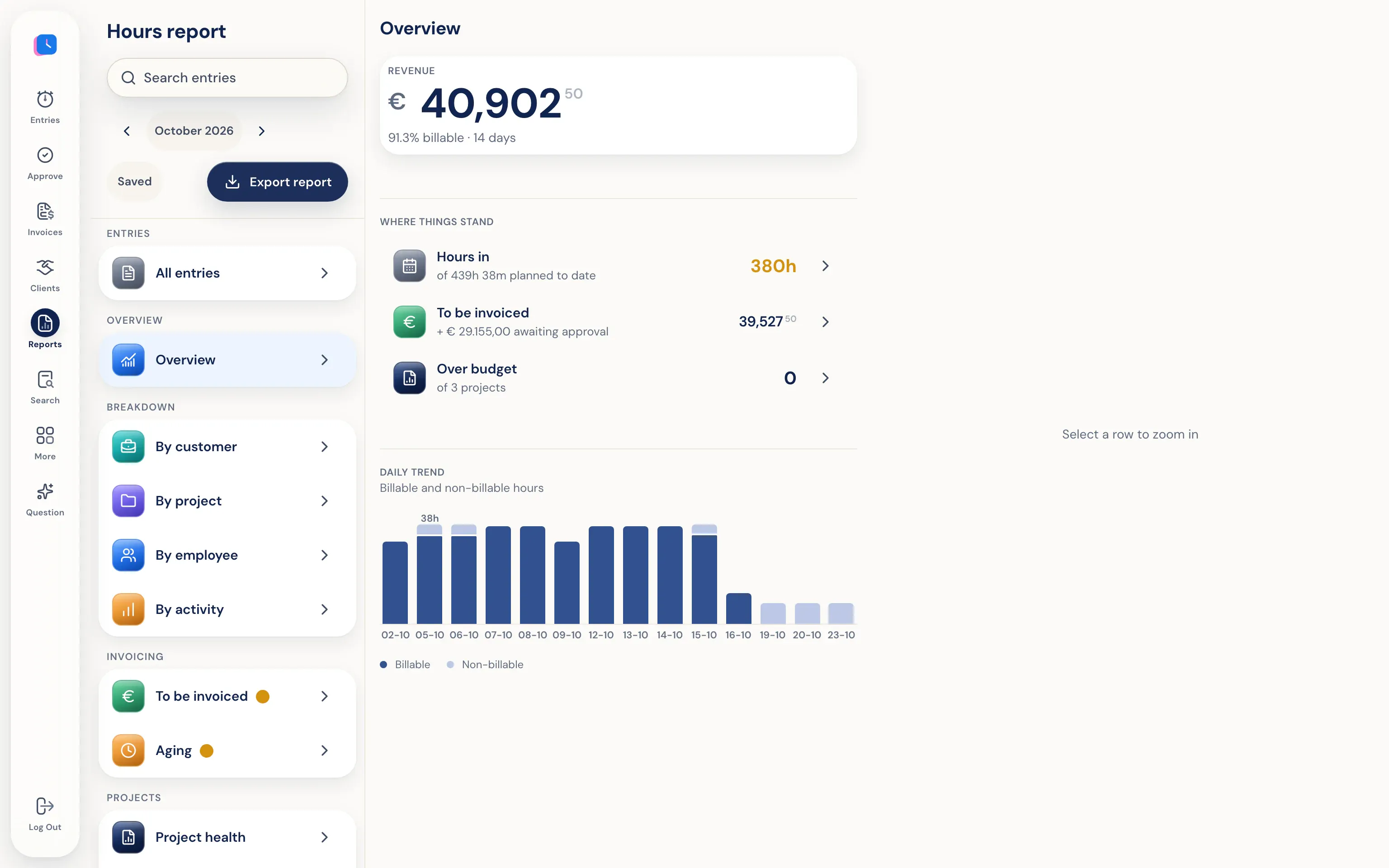
Hour reports per client, project, employee and activity. You see what still needs invoicing and which project is going over budget. Export to PDF, Excel or CSV.
More about statisticsOr let your AI agent log it.
Working with Claude, ChatGPT, Codex or Cursor? Through the Half5 MCP server your agent logs hours on the right client and project. They stay pending until they're approved.
More about AI agentsWhat it sees, and what it doesn't.
Half5 uses
- Programs, windows, websites, files and git commits on your Mac or Windows PC
- Claude Code, Codex and Cursor sessions
- Meetings from Google Calendar or Outlook
- Visits and drives through the app on your iPhone or Android
Half5 doesn't
- No screenshots and no keystrokes
- Your employer can't open your timeline, and neither can Half5
- Nothing becomes an hour until you save it
- Hours an AI agent logs stay pending until they're approved
Sign up today, your first day tomorrow.
- 1. Create an account
At app.half5.com. The first 30 days are free; you enter payment details when you choose your plan.
- 2. Install the apps
The desktop app for Mac or Windows, and the iPhone or Android app if you also want drives and visits.
- 3. Connect what you use
Your calendar, your bookkeeping and, if you like, your AI agent. Tomorrow your first day is waiting.
What people ask after the tour.
Does Half5 work without the desktop app?
Yes. You then log on the web or your phone, with suggestions from your calendar and drives from your phone. Only the desktop app for Mac and Windows can recognise programs and websites.
Which AI does Half5 use?
Recognising clients and projects happens on your own device. For descriptions you choose a local model on your computer, or a cloud model after you've given permission.
Which languages does the app support?
Dutch, English, German and French. Everyone picks their own language.
What does Half5 cost?
Prices are on the pricing page. The first 30 days are free and you can cancel within that time.