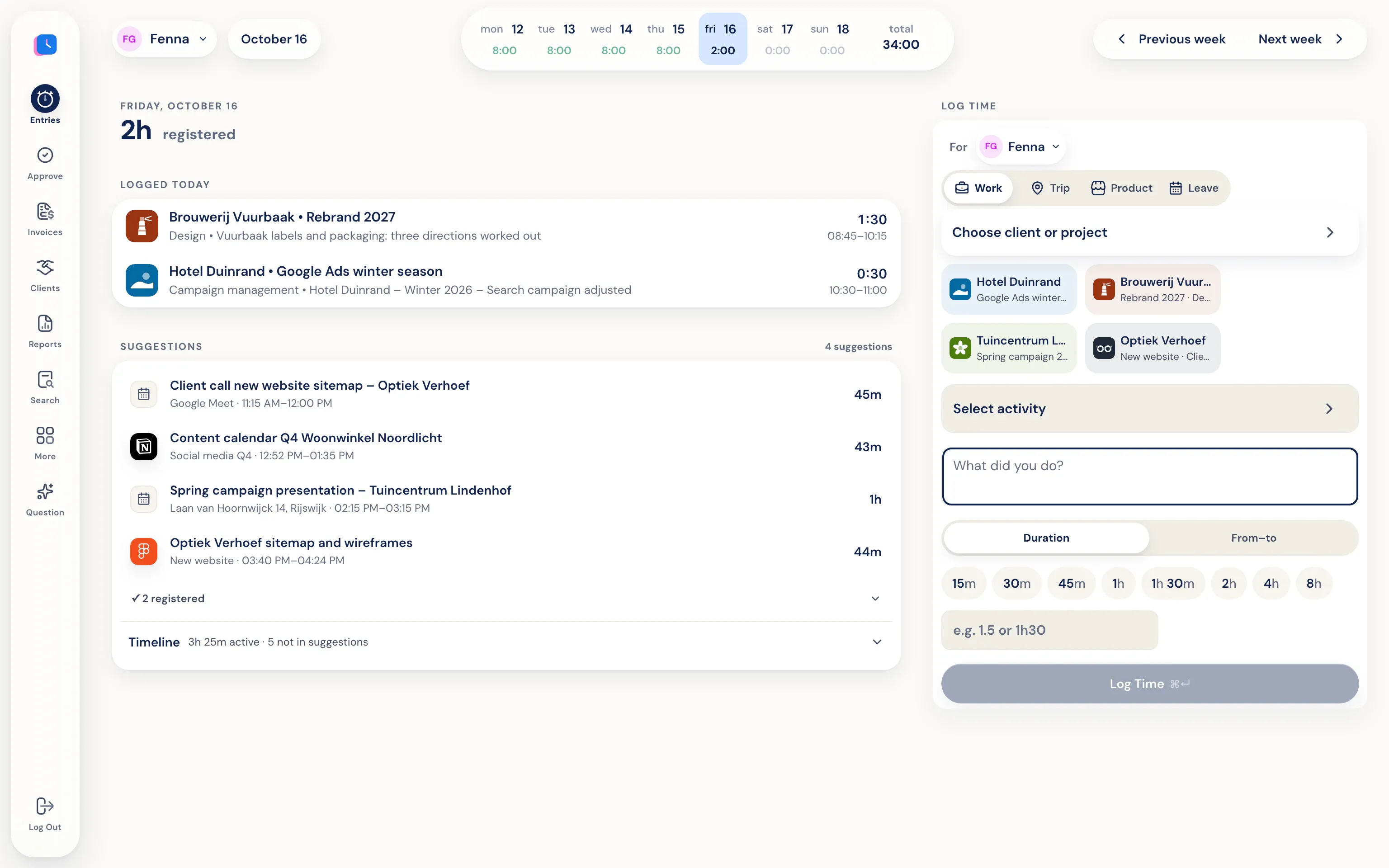
What Half5 records automatically
At Half5, automatic means collecting signals, not deciding for you. Each source adds something to your personal Timeline:
- Your computer: the desktop app for macOS and Windows sees which programs, window titles, websites and files were open, and which git commits and sessions in Claude Code, Codex or Cursor there were.
- Your calendar: events from Google Calendar or Outlook.
- Your phone: the app for iPhone and Android detects rides and visits.
- Your phone calls: Half5 Belletjes on Android prepares business calls, with number, contact and duration. Never the content.
From signal to hour
From those signals Half5 builds blocks of work and recognises which client and project they belong to. That recognition happens on your own device. When you pick a suggestion, the client, project and time are already in the form. You correct what's wrong and save. What wasn't work, you leave alone.
You can also have a description written: with a local model on your own computer, or with a cloud model after you have given permission for it. How that works exactly is explained in automatic time registration.
A memory aid, not a monitoring system
Many automatic time tracking tools are built for the employer. Half5 isn't. The activity on your Timeline is end-to-end encrypted; the key exists only on your own devices. Your employer, your manager and Half5's server cannot read it. No screenshots, no keystrokes.
Put your banking app or personal email on an exceptions list and it stays out of your Timeline. You also choose after how long old activity disappears automatically: a month, a quarter, a year or never. Your manager only sees the hours you save and submit.
What it doesn't do
Half5 doesn't book hours without you and doesn't decide what is billable. Without the desktop app, Half5 doesn't see programs and websites; the suggestions then come from your calendar, rides and phone calls. The automatic Timeline with suggestions is part of the Premium plan; see pricing.
Useful when your day is made up of many small pieces.
-
Work for several clients
Agencies, consultants and developers who invoice per client and switch in between.
-
Lots of calls and driving
Calls and rides appear next to your work blocks, so they don't get lost.
-
Working with AI agents
Sessions in Claude Code, Codex and Cursor show up on your Timeline. Through MCP an agent can also log hours itself, which stay open until they are approved.
Frequently asked questions
Can my employer see which websites I visit?
No. Your Timeline is end-to-end encrypted and only you can open it. Your employer sees the hours, rides and leave you register.
Are hours booked automatically?
No. Half5 prepares suggestions. An hour only exists once you save it. Only an AI agent you connect yourself through MCP can create hours, and those stay open until they are approved.
Does it work without the desktop app?
Yes. You then register on the web or your phone, with suggestions from your calendar, your rides and your phone calls. Only the desktop app for Mac and Windows can recognise programs and websites.
Which plan includes the automatic Timeline?
Premium. Basic has hours, rides, leave, projects and invoices; the automatic Timeline that finds forgotten work belongs to Premium.
More about Half5
- Time tracking app Hours, rides and leave on desktop, phone and web
- Time tracking for teams Weekly approval, departments and invoices
- Time tracking for freelancers Hours, rides and invoices for the self-employed
- Mileage tracker app Rides and kilometres prepared for you
- The Timeline What's on it and who sees what
- Trust center Encryption, storage and subprocessors
- AI agents (MCP) Log hours from Claude, ChatGPT, Codex or Cursor