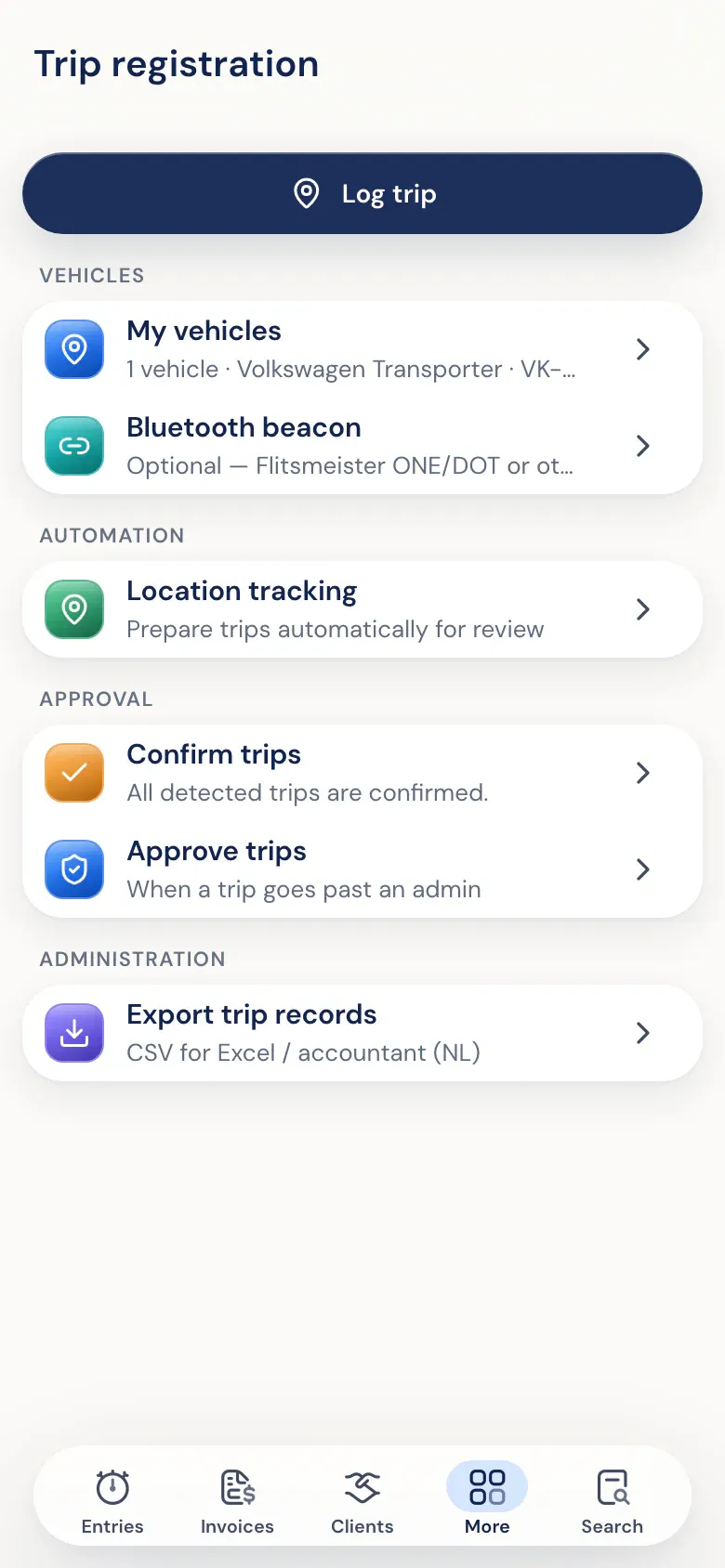
What mileage records need to contain
That depends on your car. If you drive your own car and receive a mileage allowance, date, distance and purpose are enough. If you have a company car with a no-private-use declaration, the Dutch tax authority wants a complete trip log: per ride the date, the route, the odometer readings and the business purpose. You can read more about the rules in mileage logs.
Half5 only asks per ride what your vehicle needs. You choose a tax regime per vehicle and the ride form adapts to it. Half5 knows the regimes of the Netherlands, Belgium, Germany and France.
How automatic mileage tracking works
Turn it on and the app detects car rides by itself. Your phone looks up place names, not the Half5 server. Detected rides wait for you; until you confirm them, only you can see them.
You confirm per ride or the whole week at once, and choose business, commute or private. A private ride in your own car is not kept. With a company car it stays, because a complete trip log also needs the private kilometres. No automatic detection? You can also add a ride by hand, on web, desktop or phone.
Rides next to your hours
Rides sit in the same registration as your work and leave, but don't count as time worked. Per client you choose whether rides are billed on: per kilometre, a fixed amount per ride or as travel time at a share of the hourly rate. If you pay a mileage allowance to employees with their own car, you see per employee per week which rides cost money.
Only rides that involve money go through approval. The rest simply stays in your registration. With the trip log export you download a CSV for Excel or your accountant.
You never fill in more than needed.
-
Own car
Date, distance, purpose and route. Enough for a mileage allowance or to bill on.
-
Company car, no private use
A complete trip log with odometer readings, route deviations and licence plate.
-
Taxable benefit or van
Only the distance. For a van used exclusively for business, the private option is left out.
Frequently asked questions
Does mileage tracking work on iPhone and Android?
Yes. The app for iPhone and Android detects rides automatically if you turn it on. On web and desktop you add rides by hand.
Can my employer see where I drove?
Only you see unconfirmed rides. Your employer sees the rides you confirm. A private ride in your own car is not kept.
Can I export my trip log?
Yes, as a CSV with date, purpose, from, to, distance, licence plate, vehicle, odometer readings, client and employee.
Is mileage tracking included in every plan?
Yes, in Basic and Premium. The first 30 days are free. See pricing.
More about Half5
- Time tracking app Hours, rides and leave on desktop, phone and web
- Time tracking for freelancers Hours, rides and invoices for the self-employed
- Time tracking for teams Weekly approval, departments and invoices
- Automatic time tracking Your Timeline suggests hours, you confirm
- Rides Tax regimes and approval in detail
- Download the apps For iPhone and Android