Head home at 4:30. Your hours are already in.
Half5 lines up your workday as hours per client and project, from your computer, calendar and phone. You confirm what's correct. Then your hours become invoices, no retyping needed.
- Encrypted—only you can read your timeline
- Mac, Windows, iPhone, Android and web

From a regular workday to invoice, in the real app.
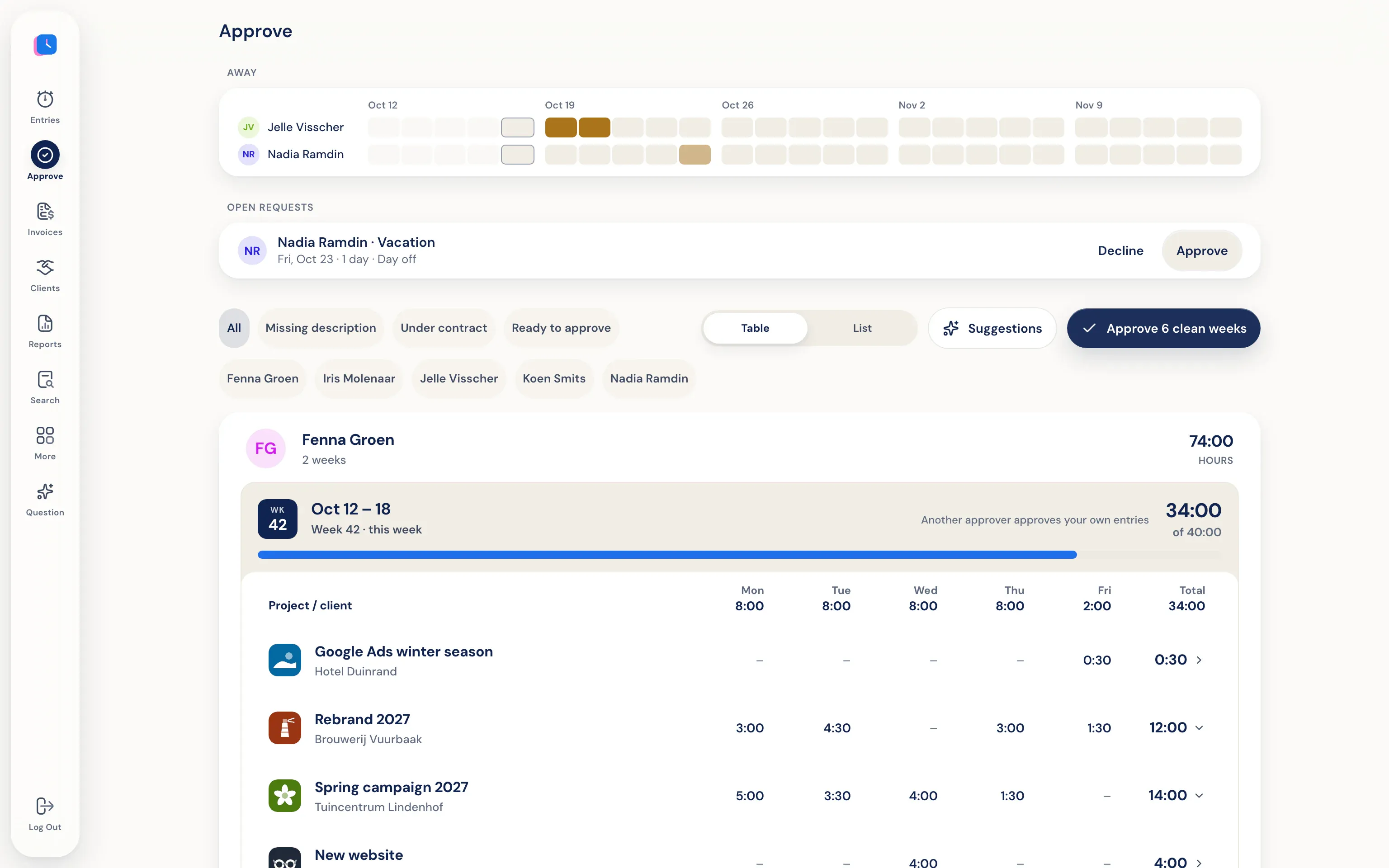
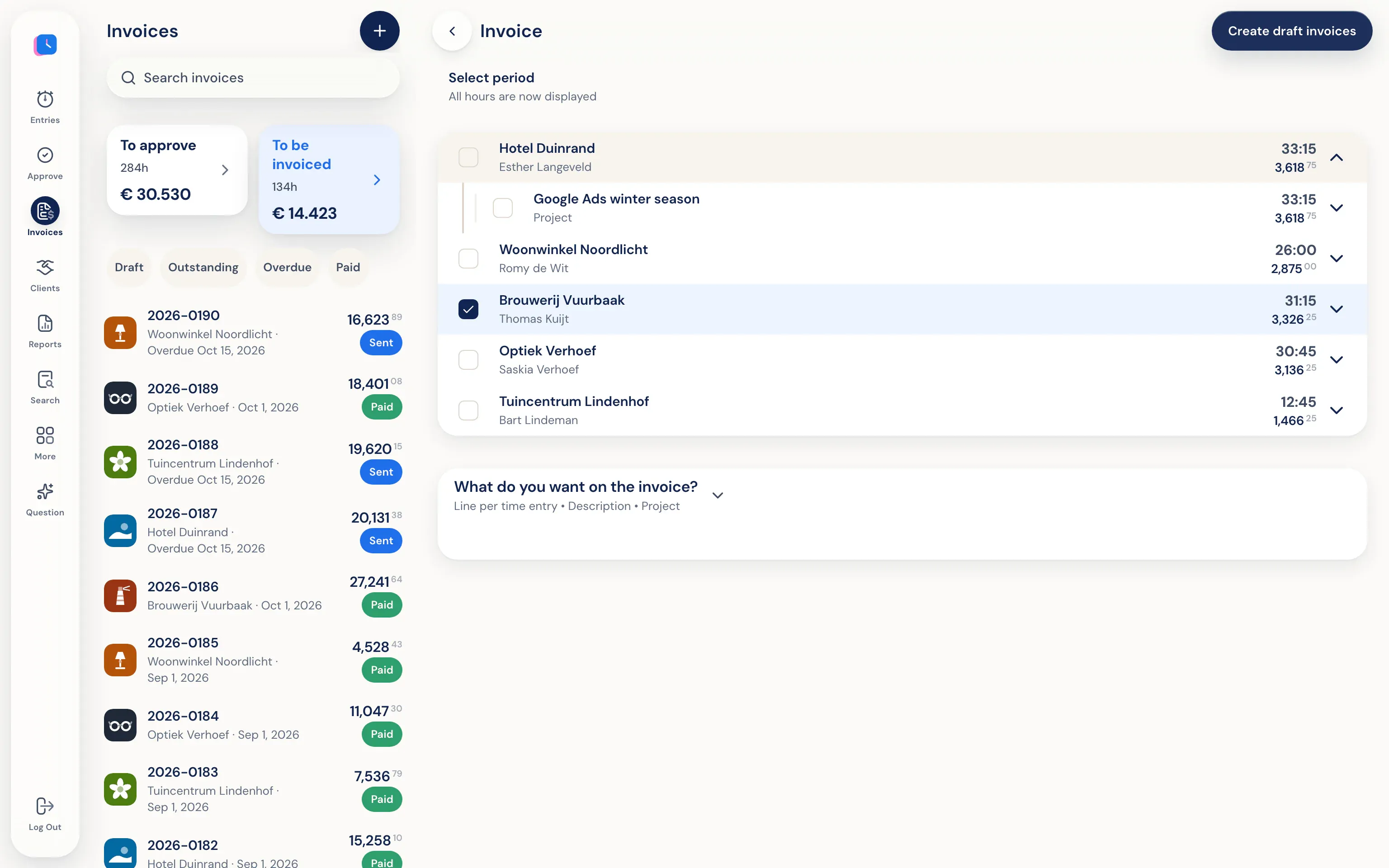
You confirm your hours, your manager approves them, and finance invoices them. Nobody retypes anything.
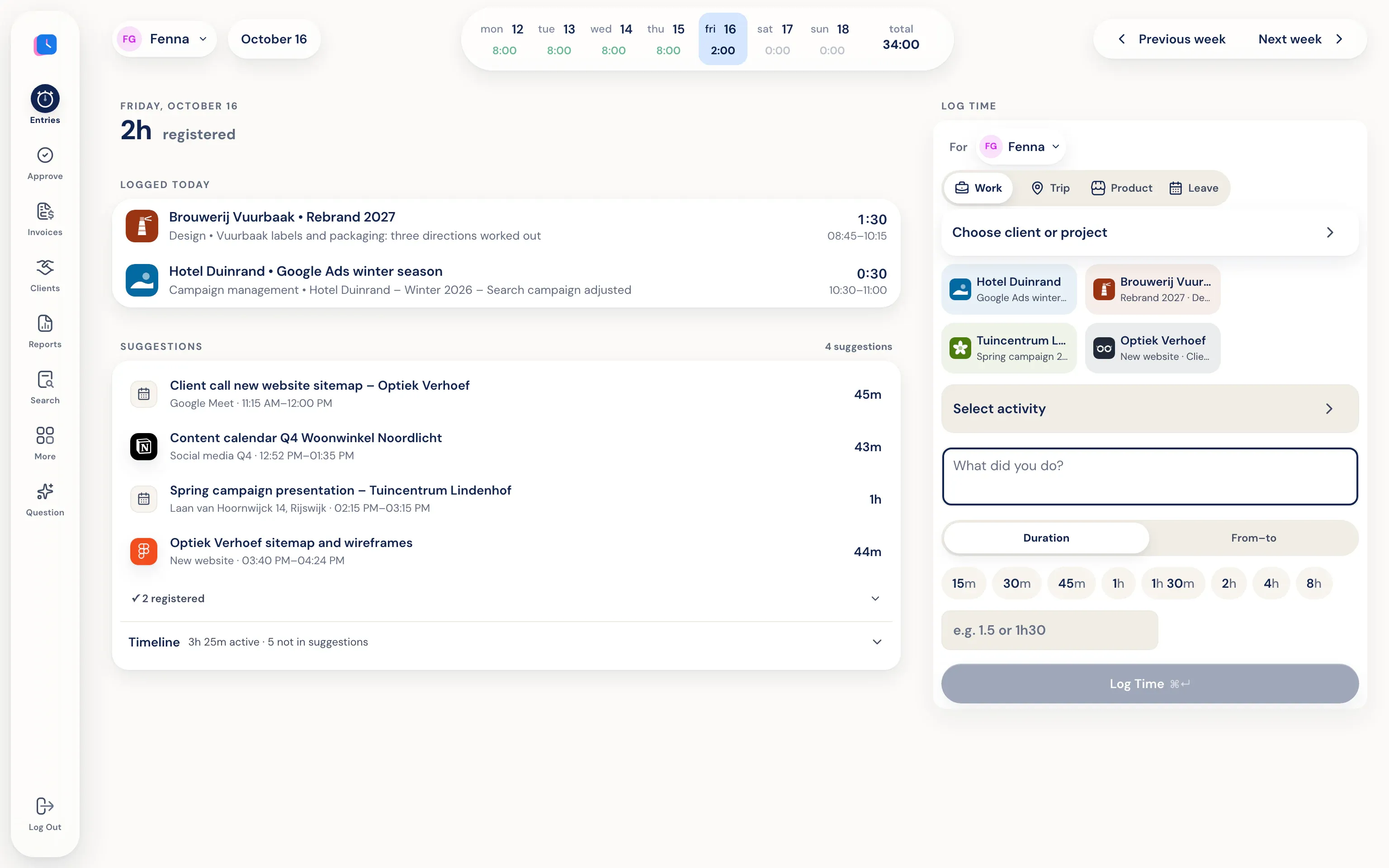
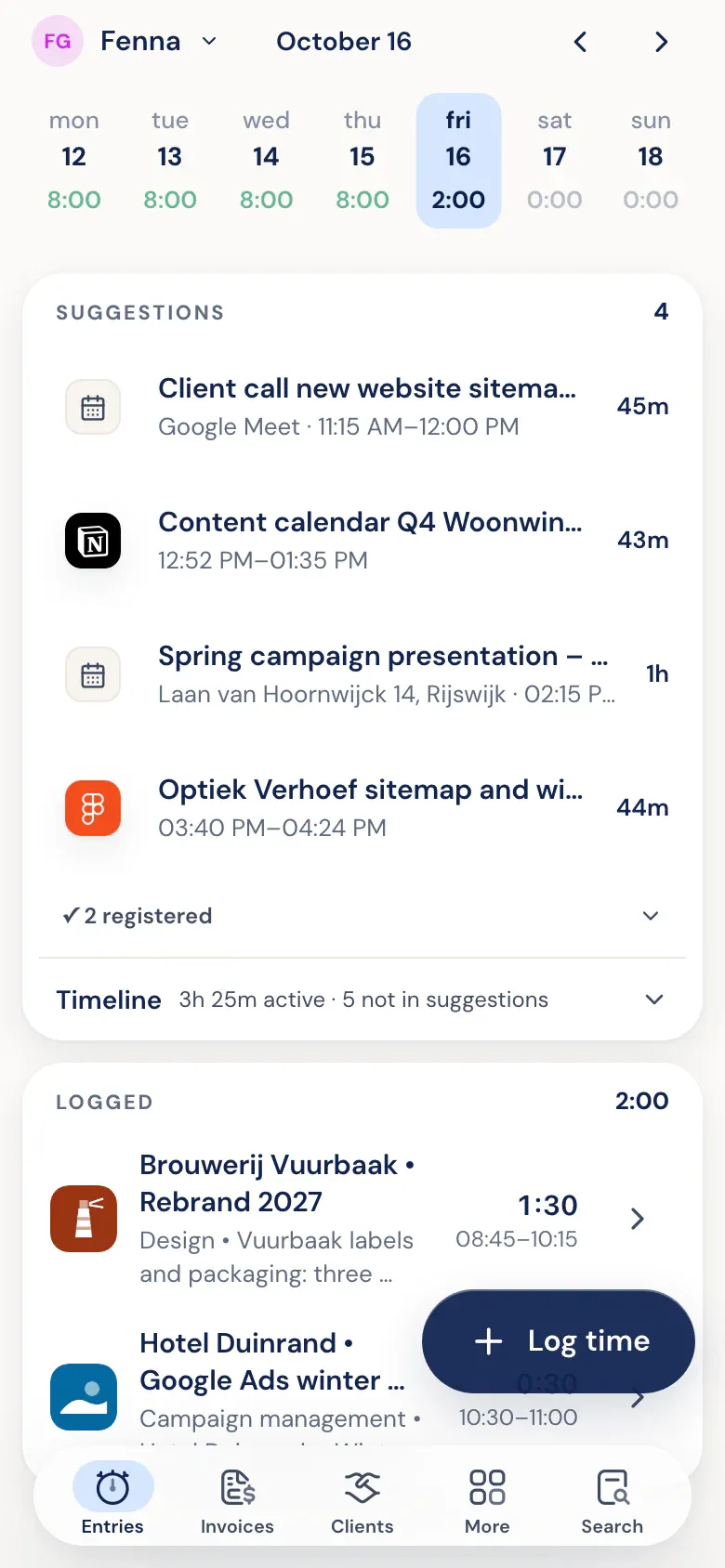
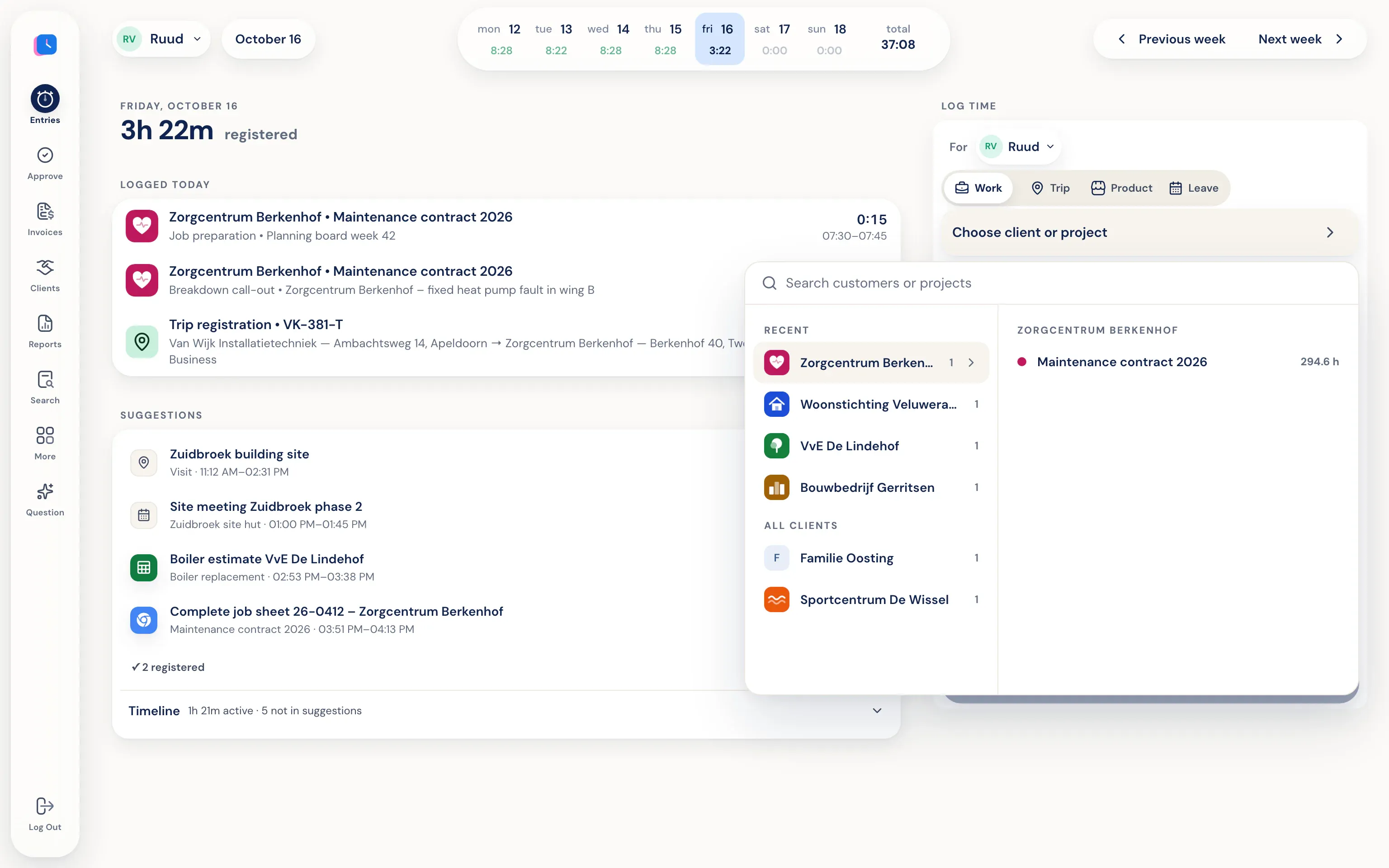
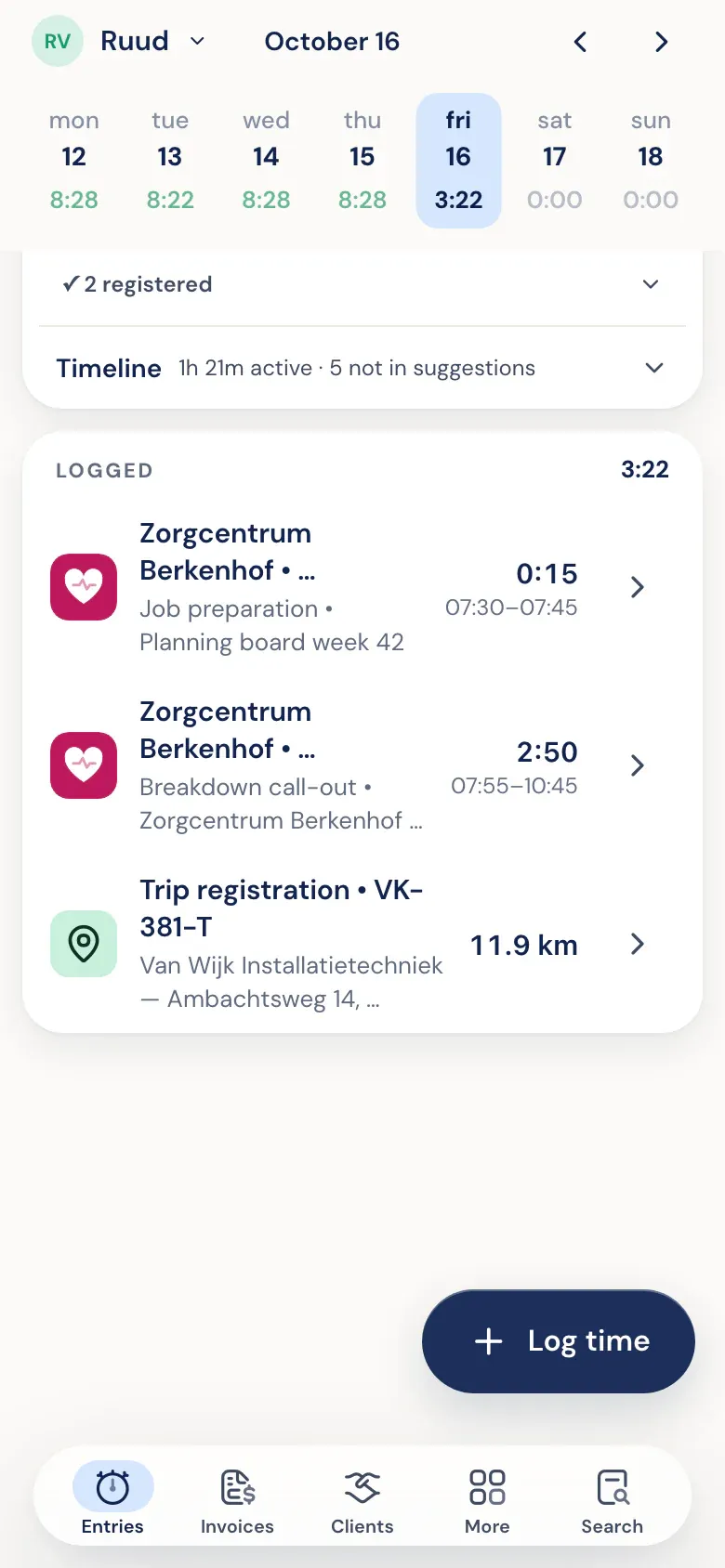
You work. Half5 sets up your day.
The desktop app on your Mac or Windows PC tracks which programs, websites, files, commits, and AI sessions you used. Your calendar and phone add meetings, visits, and drives. Half5 turns these into suggestions, one for each block of work.
More about the timelineKeep what's accurate.
Pick a suggestion and the client, project, and time are already filled in. Adjust anything that's off and save. Leave out anything that wasn't work.
More about time trackingOne calm review per week.
Managers see weekly logs per person, including leave and trips. Approve, or reject with a reason. Someone else approves your own hours. They can’t see the timeline behind those hours.
More about approving hoursApproved hours become an invoice.
Half5 creates draft invoices per client from approved hours (or, if approval is off, from all saved hours). Review them, download a PDF, or send them by email—optionally with a copy to your accountant.
More about invoicingFriday, 5:40 pm. You still need to log your hours for the whole week.
Your calendar, your email, and your memory side by side, and it still doesn't quite add up. That's not your fault. Nobody remembers a whole week.
-
 10:14 That twelve-minute visit
 Stopping by a client to brainstorm. Not written down, so never invoiced.
-
 14:30 Quick fix in between
 Twenty minutes here, fifteen minutes there. By the end of the week, that's half a day.
-
 16:05 The drive to the client
 Miles scribbled on a note in the car, or nowhere at all.
Half5 lines up what your computer, calendar, and phone saw: the work in between, the visit, and the drive. All you do is check that it's right.
Your timeline is yours.
Half5 helps you remember, not check up on you. The trust center explains, point by point, what your manager can and can't see.
Go to the trust center How the encryption works- Your timeline is private Half5 tracks which programs, websites and files you use on your computer and phone, so you can fill in your hours quickly. It's end-to-end encrypted, like WhatsApp: only your devices hold the key. Your manager, colleagues, and Half5 can't read it.
- Your manager only sees your entries Just the hours you enter, with client, project, and description, plus your leave and your trips. Not which programs you had open or which websites you visited.
- You choose what Half5 tracks Add a program or website to your exceptions list and it won't show up in your timeline. Handy for banking, email, or personal matters.
Whether you work solo or with a team of 150.
- Independent
Your hours, drives, and invoices in one place.
- Invoices from your hours, or send them to Moneybird, WeFact, e-Boekhouden, or Exact Online
- Drives detected by your phone, exportable for your mileage log
- Hour overview for the Dutch hours requirement or WBSO
- Firm or agency
Everyone logs, one glance approves.
- Approve per person and per week; no one approves their own hours
- Leave, mileage, and project budgets in one view
- Reports by client, project, and employee, as PDF, Excel, or CSV
- IT and management
Automatic, without tracking anyone.
- Timeline is end-to-end encrypted—even admins can't access it; no screenshots, no keystrokes
- Stored with AWS in Frankfurt, with a public list of subprocessors
- Departments with their own managers, and AI agents through MCP with OAuth
Currently using Toggl, Timely, TimeChimp, or Clockify? See the honest comparison
For anyone who bills for their time.
From solo freelancer to a hundred-person office. Half5 adapts to your business, not the other way around.
On your laptop, your phone, and on the go.
- Mac
- Windows
- iPhone
- Android
- Web
- Drives
And your hours go straight to your accounting:
Download appsQuestions we often get.
Can my employer see what I do all day?
No. Your timeline (programs, websites, files, AI sessions) is end-to-end encrypted, like WhatsApp: only your devices have the key. Your employer, your manager, and Half5 can't open it. Your manager only sees what you log: hours with description, client and project, your leave and your trips, and reports on those per person.
How much time does it take per day?
Usually just a few minutes. Half5 prepares your day with suggestions by client and project; you confirm what’s correct and save.
Does it work with my accounting software?
Half5 connects with Moneybird, Exact Online, WeFact and e-Boekhouden. Half5 can also create invoices itself from approved hours, as a PDF or by email. If you use something else, email us.
Can my AI agent log hours for me?
Yes. Connect Claude, ChatGPT, Codex, or Cursor through the Half5 MCP server. Your agent logs time to the right client and project, and hours stay pending until approved.
Do I need to enter payment details for the trial?
No. The first 14 days are free, no credit card required. At the end of the trial, you pick a plan in the app and enter your payment details.
How do I get started?
Create an account and try Half5 free for 14 days, solo or with your team. Install the app on your computer and phone—your first day is ready tomorrow.