How Half5 works, in the actual app.
Nine steps, from your workday to the invoice in your bookkeeping. Every image is from Half5 itself, with a sample company.
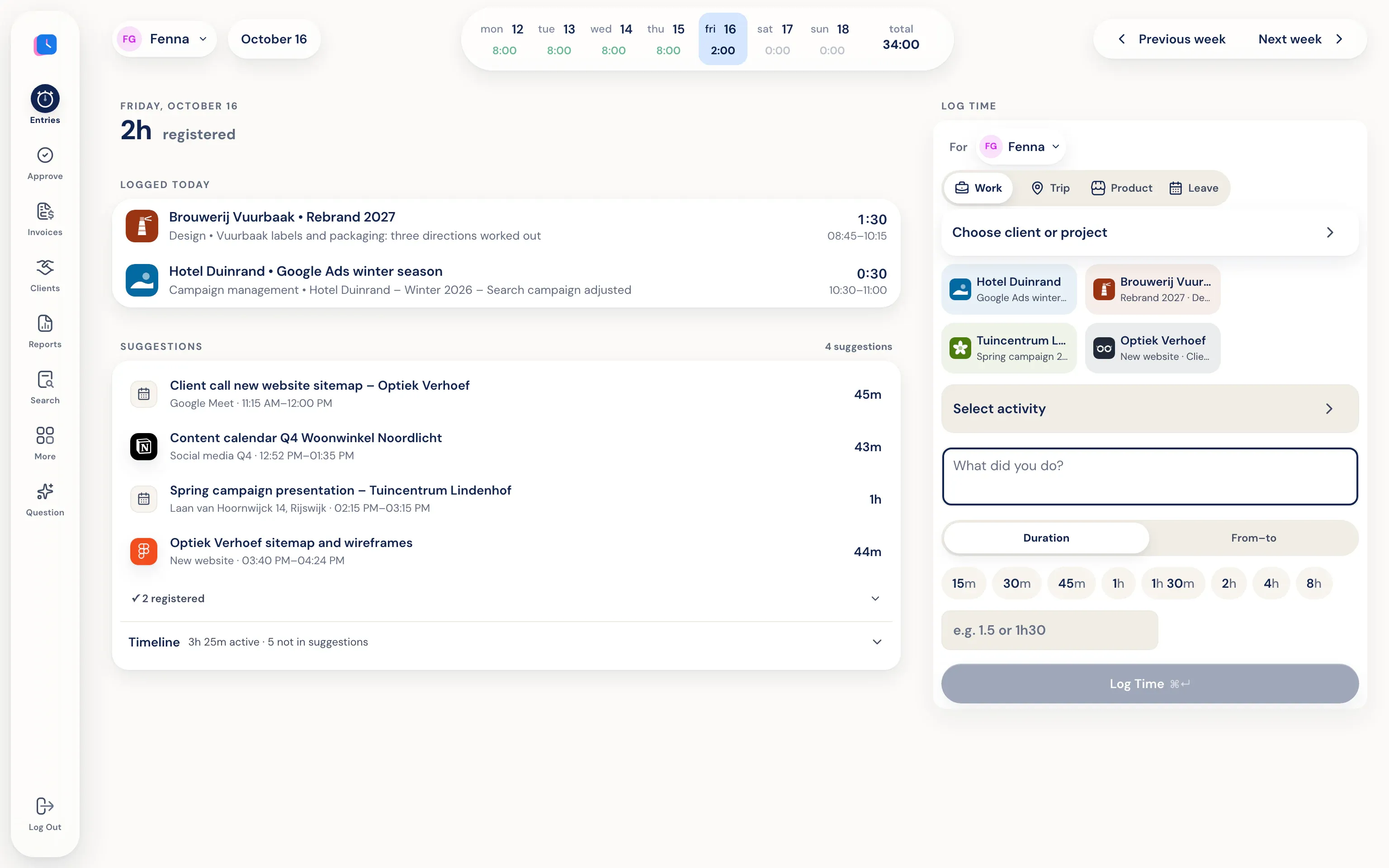
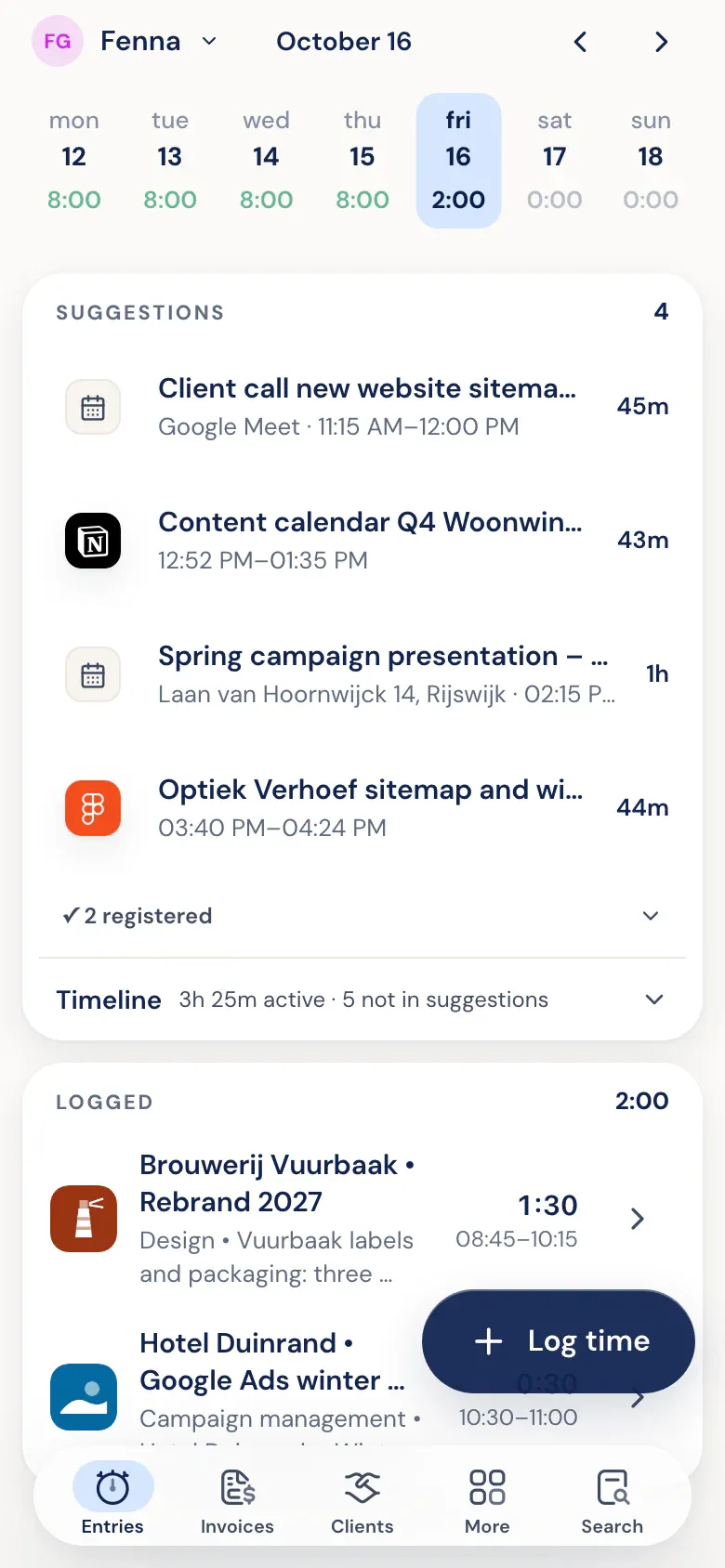
You work. Half5 sets up your day.
The desktop app on your Mac or Windows PC tracks which programs, websites, files, commits, and AI sessions you used. Your calendar and phone add meetings, visits, and drives. Half5 turns these into suggestions, one for each block of work.
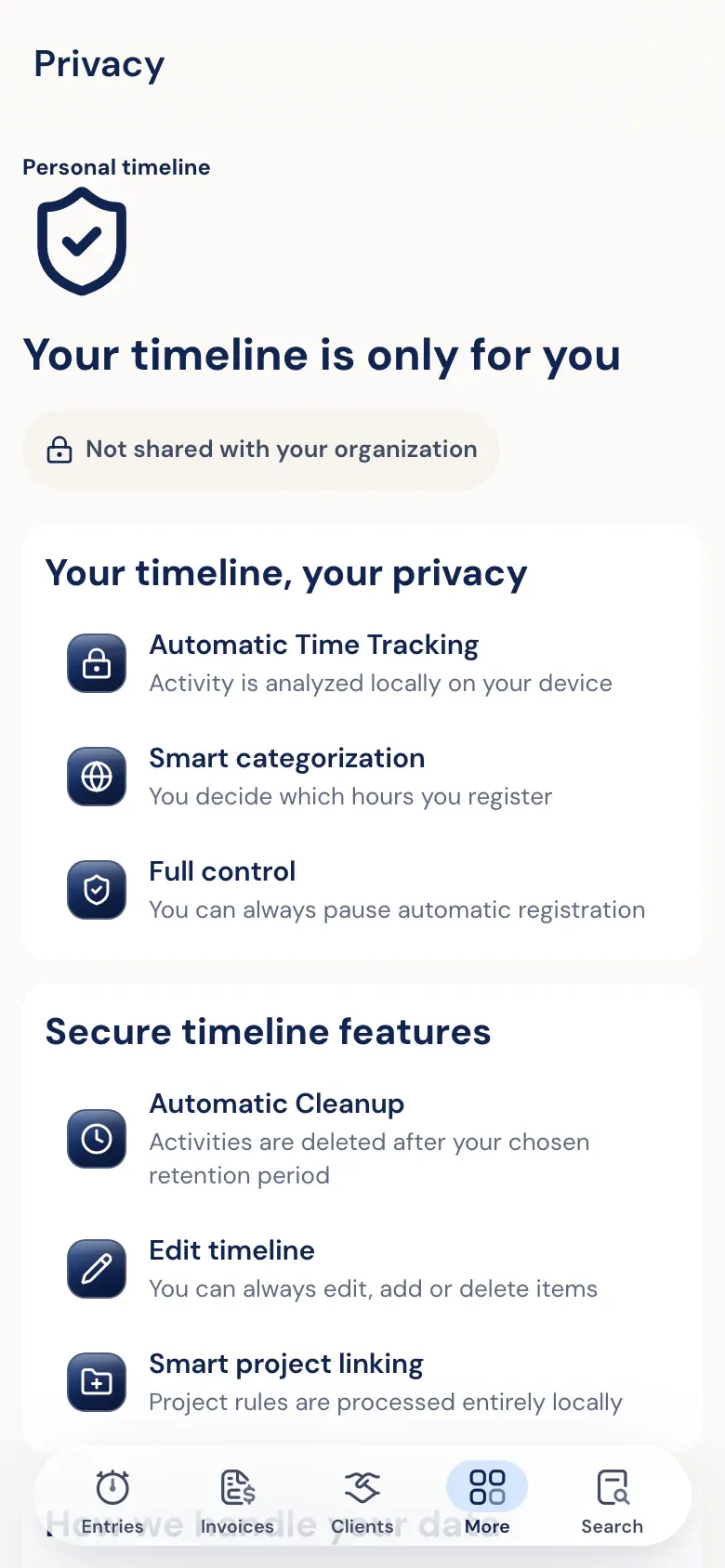
More about the timelineOnly you can read your timeline.
Activity on your timeline is end-to-end encrypted. Your employer, your manager, and Half5's server can't access it. No screenshots, no keystrokes. Clients and projects are recognized on your own device.
Go to the trust centerKeep what's accurate.
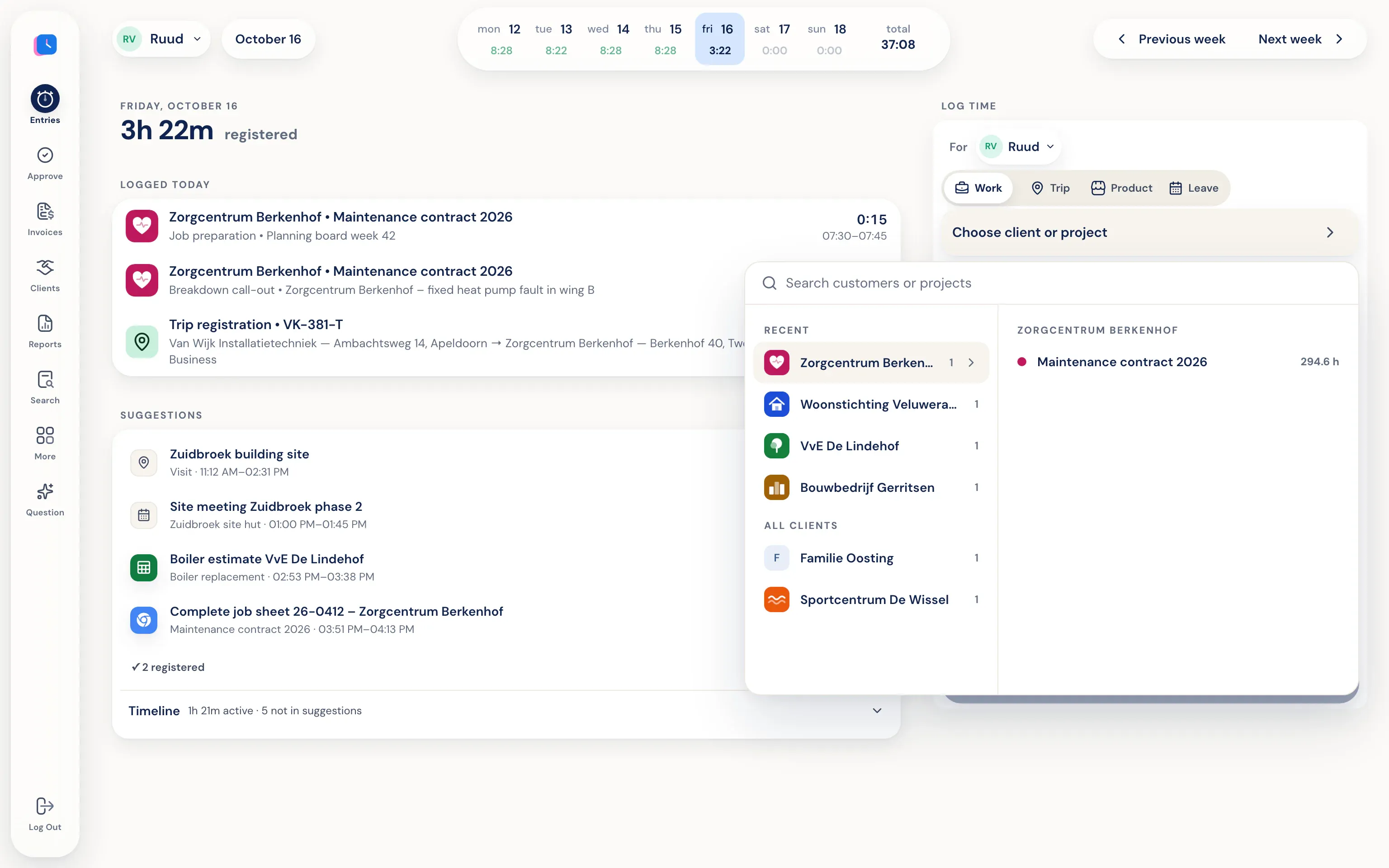
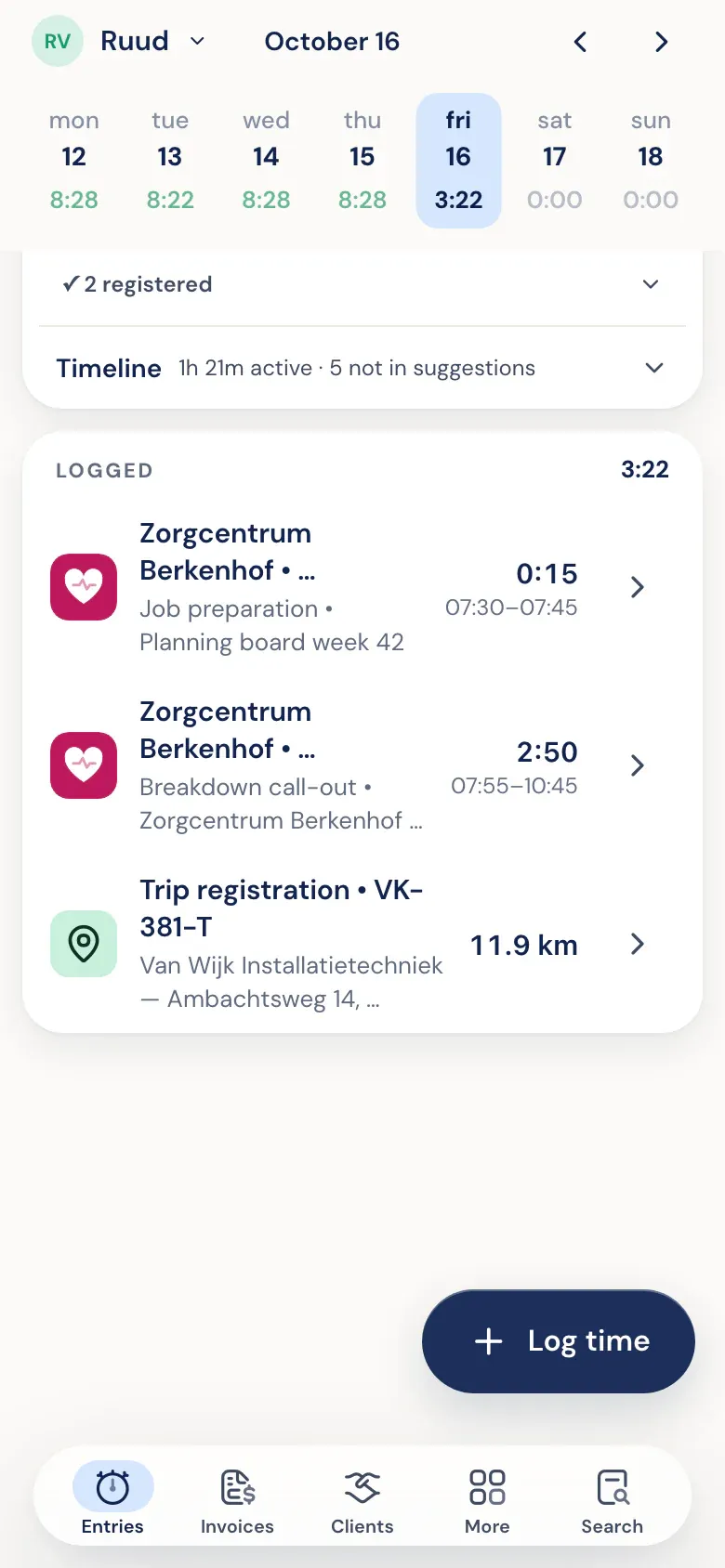
Pick a suggestion and the client, project, and time are already filled in. Adjust anything that's off and save. Leave out anything that wasn't work.
More about time trackingYour phone recognizes your drives.
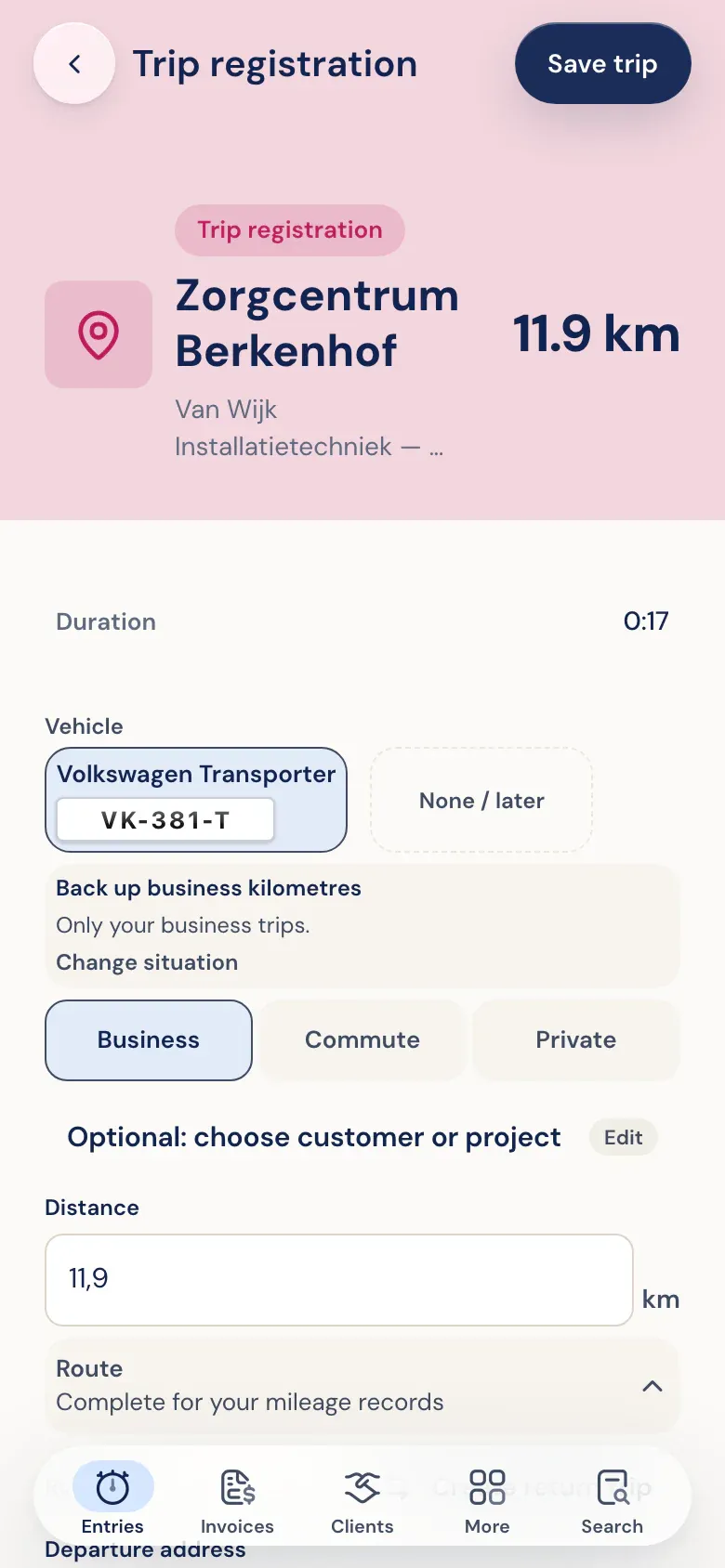
The Half5 app on iPhone or Android detects when you drive and prepares the trip with addresses and miles. You choose business, commute, or personal. The export is ready for your mileage log.
More about mileage logsOne calm review per week.
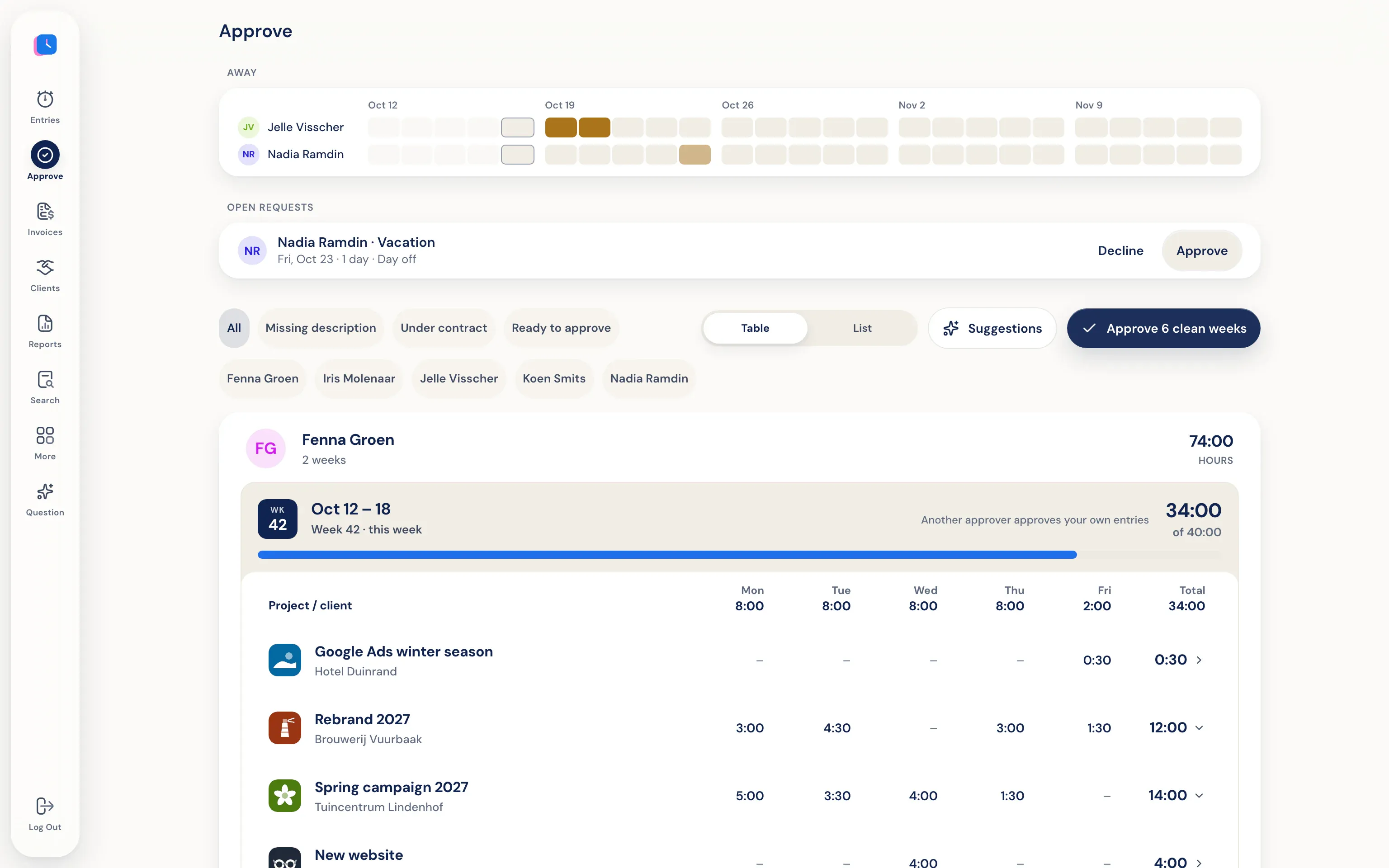
Managers see weekly logs per person, including leave and trips. Approve, or reject with a reason. Someone else approves your own hours. They can’t see the timeline behind those hours.
More about approving hoursApproved hours become an invoice.
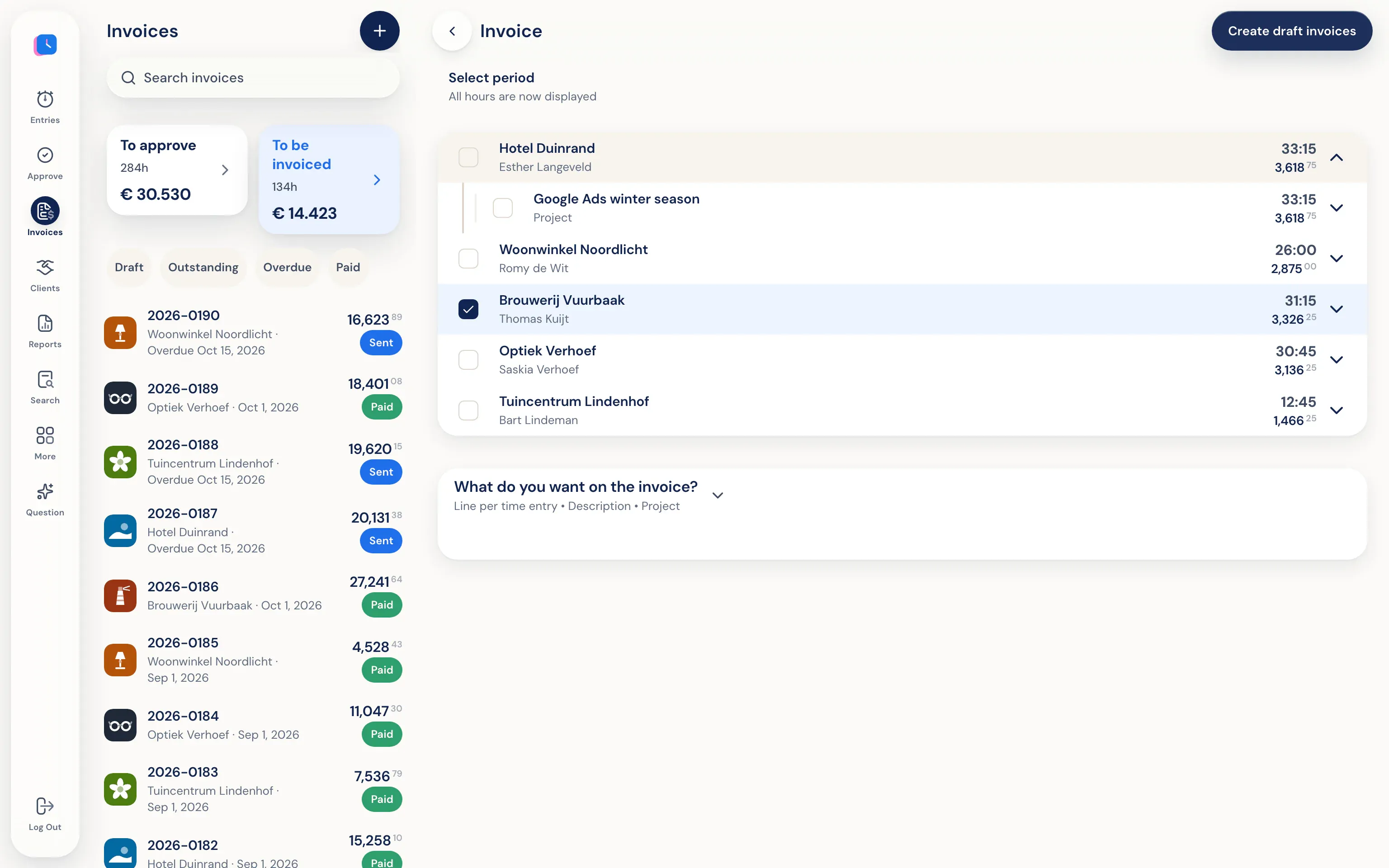
Half5 creates draft invoices per client from approved hours (or, if approval is off, from all saved hours). Review them, download a PDF, or send them by email—optionally with a copy to your accountant.
More about invoicingOn to your accounting.
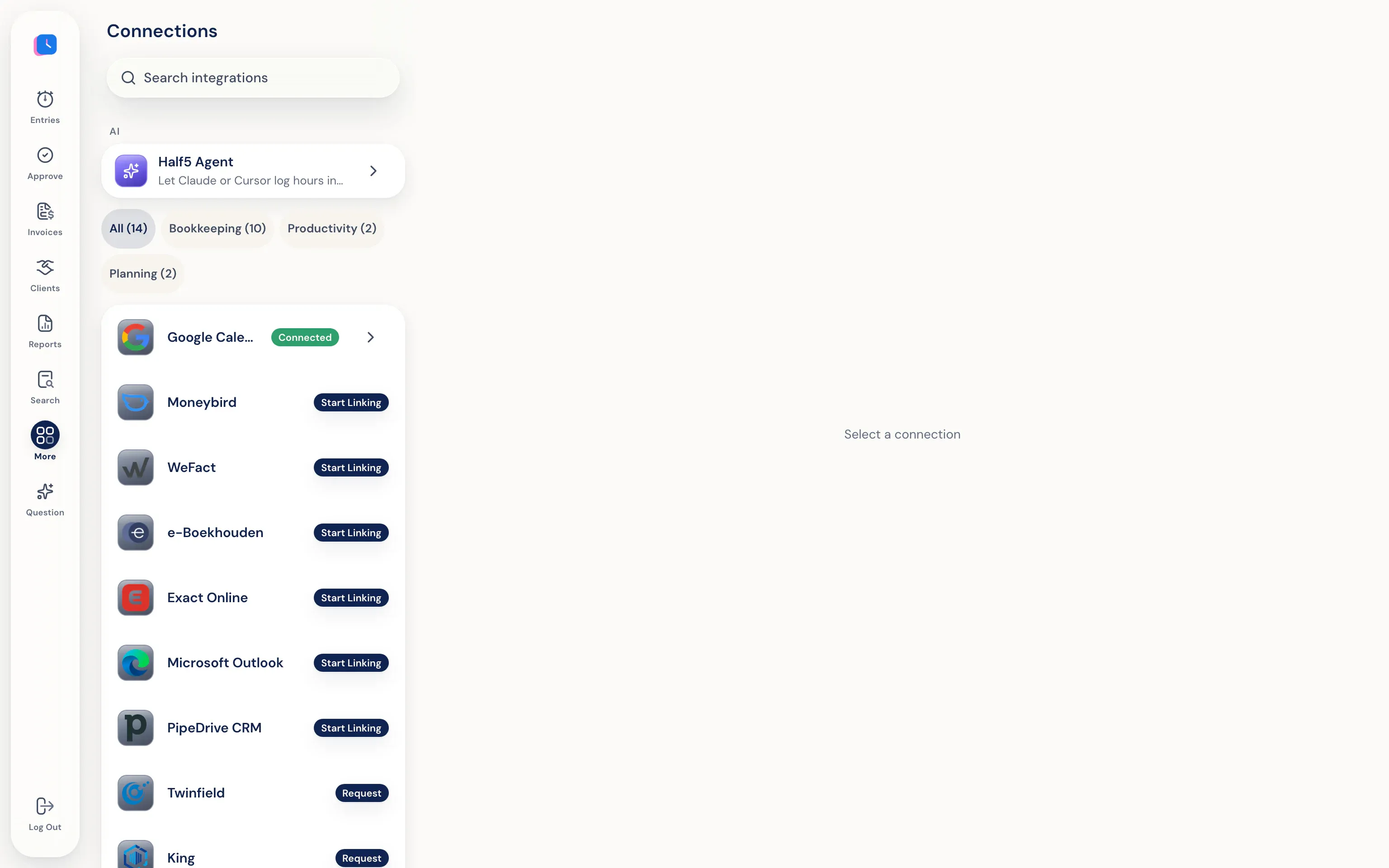
Invoices and contacts go to Moneybird, WeFact, e-Boekhouden, or Exact Online. Connect your calendar with Google Calendar or Outlook.
All integrationsSee where your time goes.
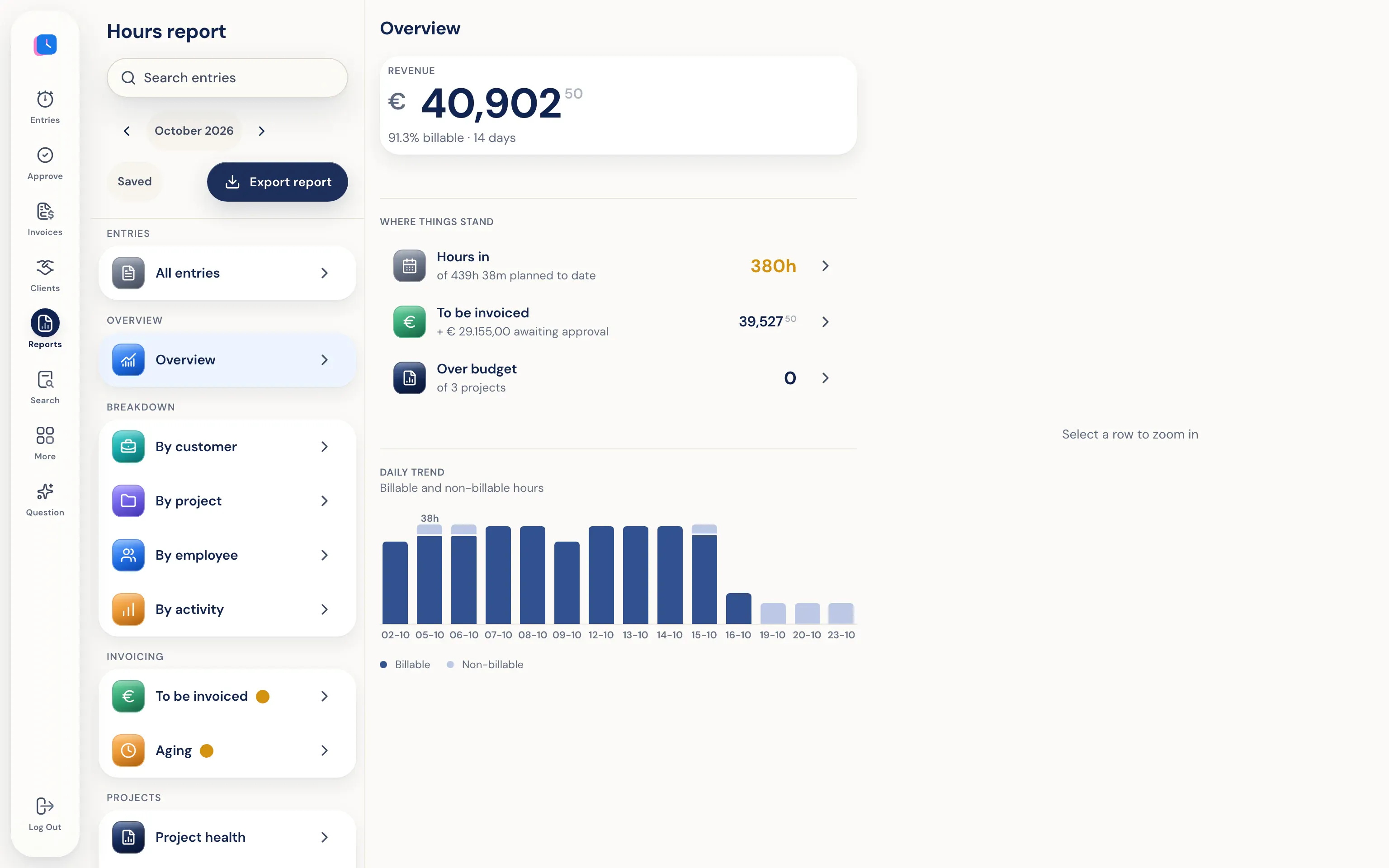
Hours report by client, project, employee, and activity, based on logged hours. See what still needs invoicing and which project is over budget. Export to PDF, Excel, or CSV.
More about statisticsOr let your AI agent log it.
Do you use Claude, ChatGPT, Codex, or Cursor? With the Half5 MCP server, your agent logs hours to the right client and project. They stay open until approved.
More about AI agentsWhat it can and can't see.
Half5 uses
- Programs, windows, websites, files, and git commits on your Mac or Windows PC
- Sessions with Claude Code, Codex, and Cursor
- Appointments from Google Calendar or Outlook
- Visits and trips in the app on your iPhone or Android
Half5 doesn't
- No screenshots or keystrokes
- Your employer and your manager can't open your timeline, and neither can Half5.
- Nothing counts as an hour until you save it
- Hours logged by an AI agent stay open until they're approved
Sign up today, start tomorrow.
- 1. Create an account
At app.half5.com. Your first 14 days are free, no credit card required. At the end, pick a plan in the app and enter your payment details.
- 2. Install apps
The desktop app for Mac or Windows, plus the iPhone or Android app if you want to track drives and visits too.
- 3. Connect what you use
Your calendar, your accounting, and if you want, your AI agent. Your first day is ready tomorrow.
Questions people ask after the tour.
Does Half5 work without the desktop app?
Yes. You can log time on the web or your phone, with suggestions from your calendar and trips from your phone. Only the desktop app for Mac and Windows can track programs and websites.
Which AI does Half5 use?
Client and project recognition runs on your own device. For descriptions, you pick a local model on your computer, or a cloud model after you give permission.
Which languages does the app support?
Dutch, English, German and French. Everyone picks their own language.
How much does Half5 cost?
Prices are on the pricing page. The first 14 days are free, no credit card needed.