Why tracking hours pays off for freelancers
If you bill by the hour, every missed 15 minutes is money lost. On fixed-price projects, you need to know if the numbers still add up. And in the Netherlands, to claim the self-employed deduction, you have to show you meet the hours criterion of 1,225 hours a year—admin and business development count too.
A spreadsheet works—if you remember to update it every day. Half5 is built for the days you don’t.
How it works for freelancers
Set up your clients and projects, with a default rate and, if needed, custom rates per client or project. Non-billable work, like admin, goes under its own activity. Those hours are tracked, but don’t show up on invoices.
With Premium, the desktop app remembers what you worked on and suggests hours. With Basic, you log your time yourself—on desktop, phone, or web. Both plans include mileage tracking: your phone detects trips and you choose business, commute, or personal.
Invoicing from your hours
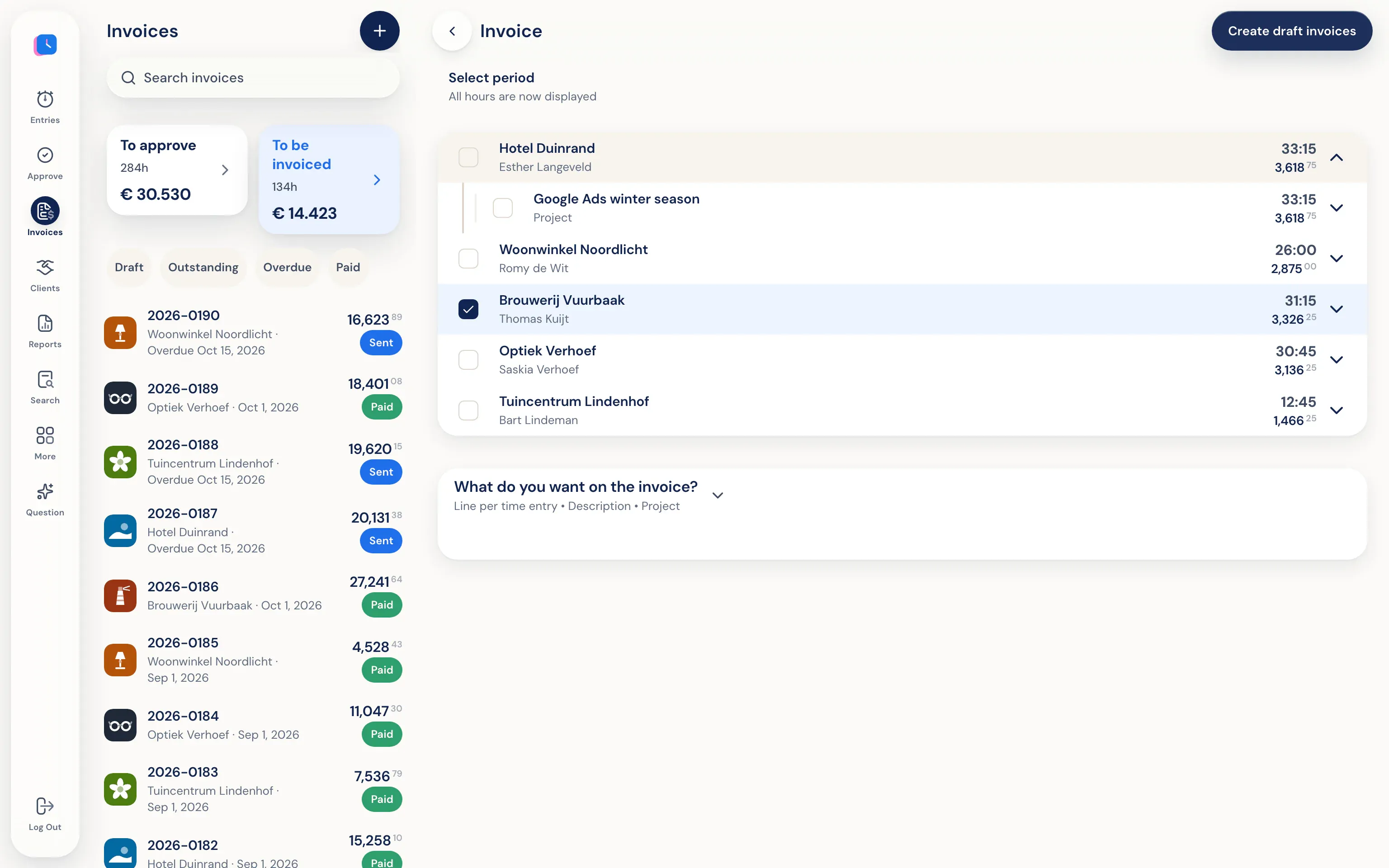
At month’s end, create a draft invoice for each client in Half5—only the billable hours that haven’t been invoiced yet. Review, download as PDF, or email it—optionally CC your accountant. If you use accounting software, send invoices to Moneybird, WeFact, e-Boekhouden, or Exact Online. Hours already invoiced can’t be billed again.
Reports show your hours by client and activity. Export your annual summary to PDF, Excel, or CSV for your tax return. Half5 doesn’t calculate the hours criterion for you—you’ll see your totals.
If you grow, Half5 grows with you
If you hire someone or team up with another freelancer, just add a user. Hour approval, leave, and employee reports are built in. See time tracking for teams.
What freelancers get out of it every day.
-
No double billing
Invoiced hours are marked. The next invoice only includes what’s still open.
-
Mileage for your tax return
Trips by vehicle, with exports for your mileage log or your accountant.
-
Self-serve, no meetings needed
Create your account, try it free for 14 days, and cancel anytime. Questions? Email us or use the help assistant.
Frequently asked questions
Which plan is right for a freelancer?
Basic is designed for the self-employed: hours, mileage, leave, projects, and invoices. If you want Half5 to suggest hours based on your workday, choose Premium. See prices on the pricing page.
Does Half5 track if I meet the hours criterion?
No, there’s no counter for 1,225 hours. You log your non-billable hours too, and see your totals by activity in the reports.
Can I send invoices without accounting software?
Yes. You can create and send invoices directly in Half5, as a PDF or by email. Connecting to Moneybird, WeFact, e-Boekhouden, or Exact Online is optional.
Can I import my hours from another program?
Half5 doesn’t import hours from other apps. If you connect your accounting software, you can import your clients.
More about Half5
- Time tracking app Track hours, mileage, and leave on desktop, phone, and web
- Mileage tracker app Trips and miles prepared for you
- Automatic time tracking Your Timeline suggests hours—you're in control
- Time tracking for teams Weekly approval, departments, and invoices
- Half5 for freelancers A freelancer’s day with Half5
- Invoicing Drafts, credit notes, and email