From job to job. And no admin work at night.
A breakdown at eight, a maintenance job after lunch, an urgent call on your way home. You log your hours and drives while you still remember, so the office doesn't have to call you anymore.
- Your timeline stays yours
- Mac, Windows, iPhone, Android and web

Home, 7:30 pm. Still need to fill in today's job sheets.
During the day you’re with clients. The paperwork gets pushed to the evening, or the office calls you about it.
- 09:20 Could you look at the boiler too?
Half an hour extra for the same client. It’s not on the work order, so it’s not on the invoice.
- 13:40 The drive to the next job
Miles you have to remember at the end of the month.
- 17:10 One more urgent job
You help the client out of a jam. The next morning, the office calls: how long were you there?
With Half5, it's logged before you get back in the van.
Built for work on site.
The technician logs hours on the go, the planner approves, the office invoices. No job sheets get lost.
- Hours and drives in one app
On your iPhone or Android, by client and by job.
- Approve per week
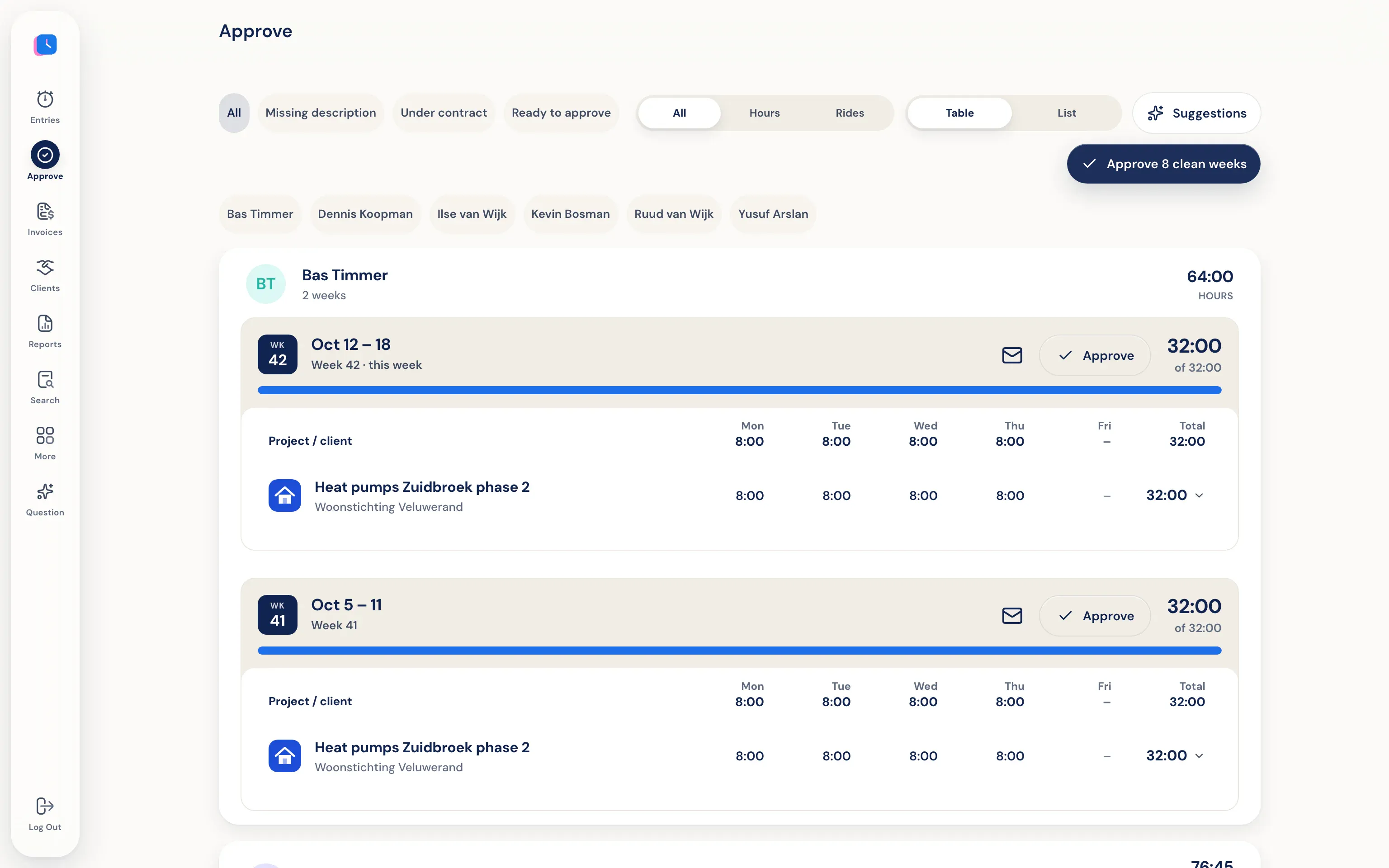
The planner approves a full week of hours and trips per technician at once, or rejects with a reason.
- Invoicing without chasing payments
Approved hours go to Moneybird, Exact Online, WeFact, or e-Boekhouden.
You work. Half5 sets up your day.
The desktop app on your Mac or Windows PC tracks which programs, websites, files, commits, and AI sessions you used. Your calendar and phone add meetings, visits, and drives. Half5 turns these into suggestions, one for each block of work.
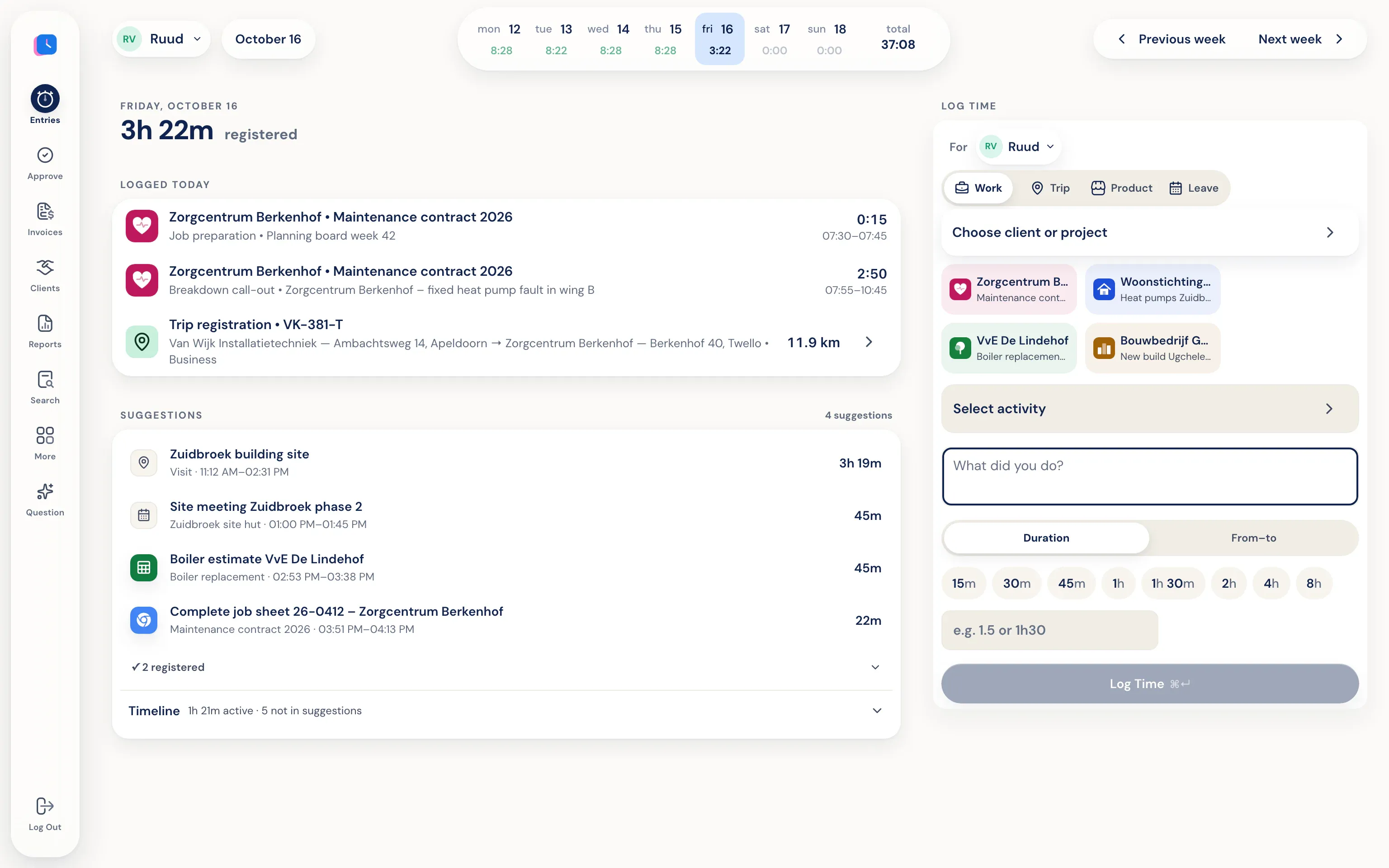
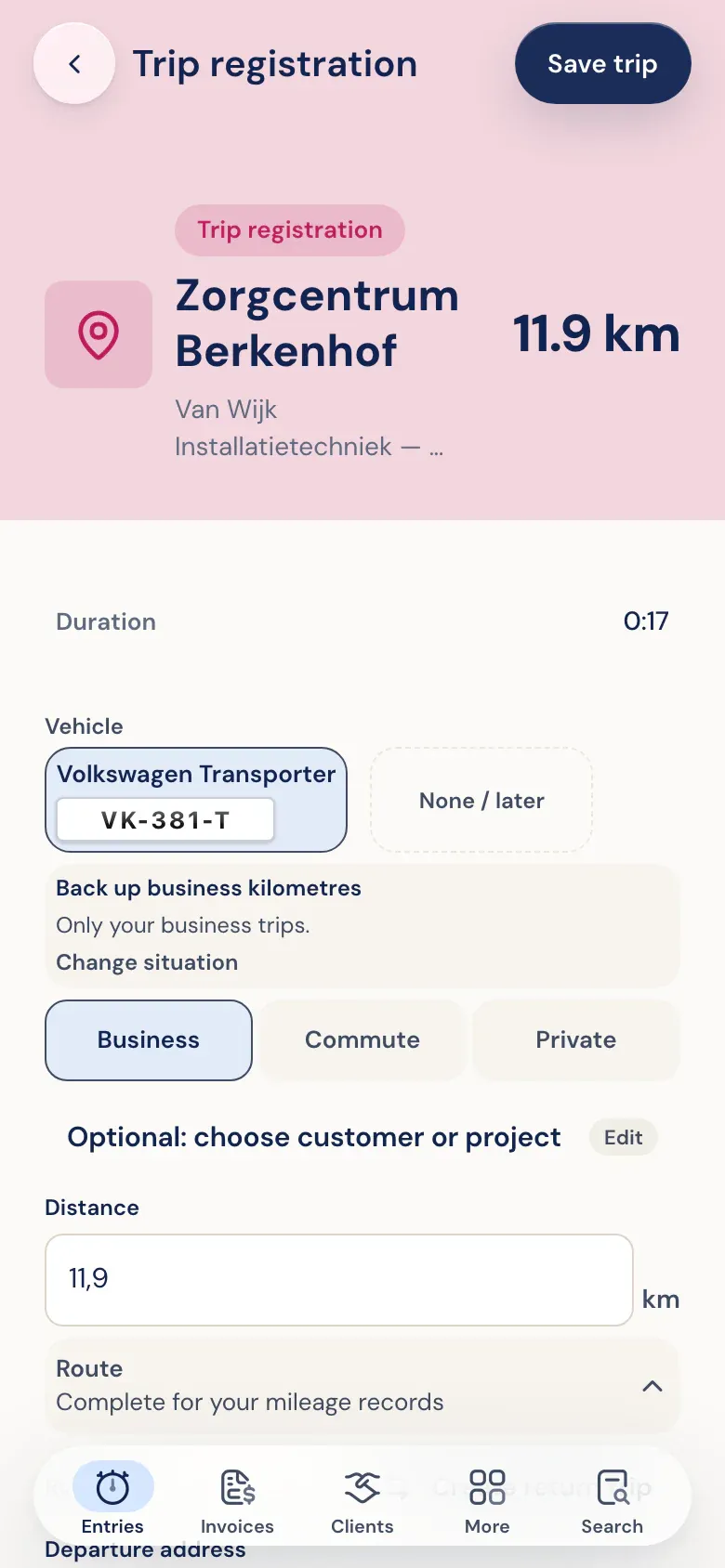
Your phone recognizes your drives.
The Half5 app on iPhone or Android detects when you drive and prepares the trip with addresses and miles. You choose business, commute, or personal. The export is ready for your mileage log.
One calm review per week.
Managers see weekly logs per person, including leave and trips. Approve, or reject with a reason. Someone else approves your own hours. They can’t see the timeline behind those hours.
Your day, your hours.
Drives and client visits your phone detects are saved to your personal timeline: only on your own devices, end-to-end encrypted. The planner, office, and Half5 can't access them. The office only sees the hours and drives you submit.
Go to the trust center- Only you see your timeline Your computer and phone put your day on a timeline that stays only on your own devices, end-to-end encrypted. Your manager, admins, and Half5 can't access it.
- Your manager sees what you submit Your manager and admins can see the hours, drives, and leave you submit, and approve them weekly. Colleagues without that role can't see them.