Just one more tweak. And that counts too.
A banner in five sizes, copy that needs one last tweak, a client who sends one more email. Half5 remembers who it was for, so your budget matches what you actually delivered.
- Your timeline stays yours
- Mac, Windows, iPhone, Android and web

The project was on budget. Until the revisions came.
Creative work jumps from client to client. What happens in between slips out of your hours and your margin.
- 10:05 Can the logo be a bit bigger?
The third round of feedback. Each round is just twenty minutes—together, that's half a day.
- 14:40 Quick campaign check
Between two other tasks. It's part of the retainer, but it's not recorded anywhere.
- 18:20 Tomorrow's deadline
Keep working a bit longer. That hour belongs on the invoice.
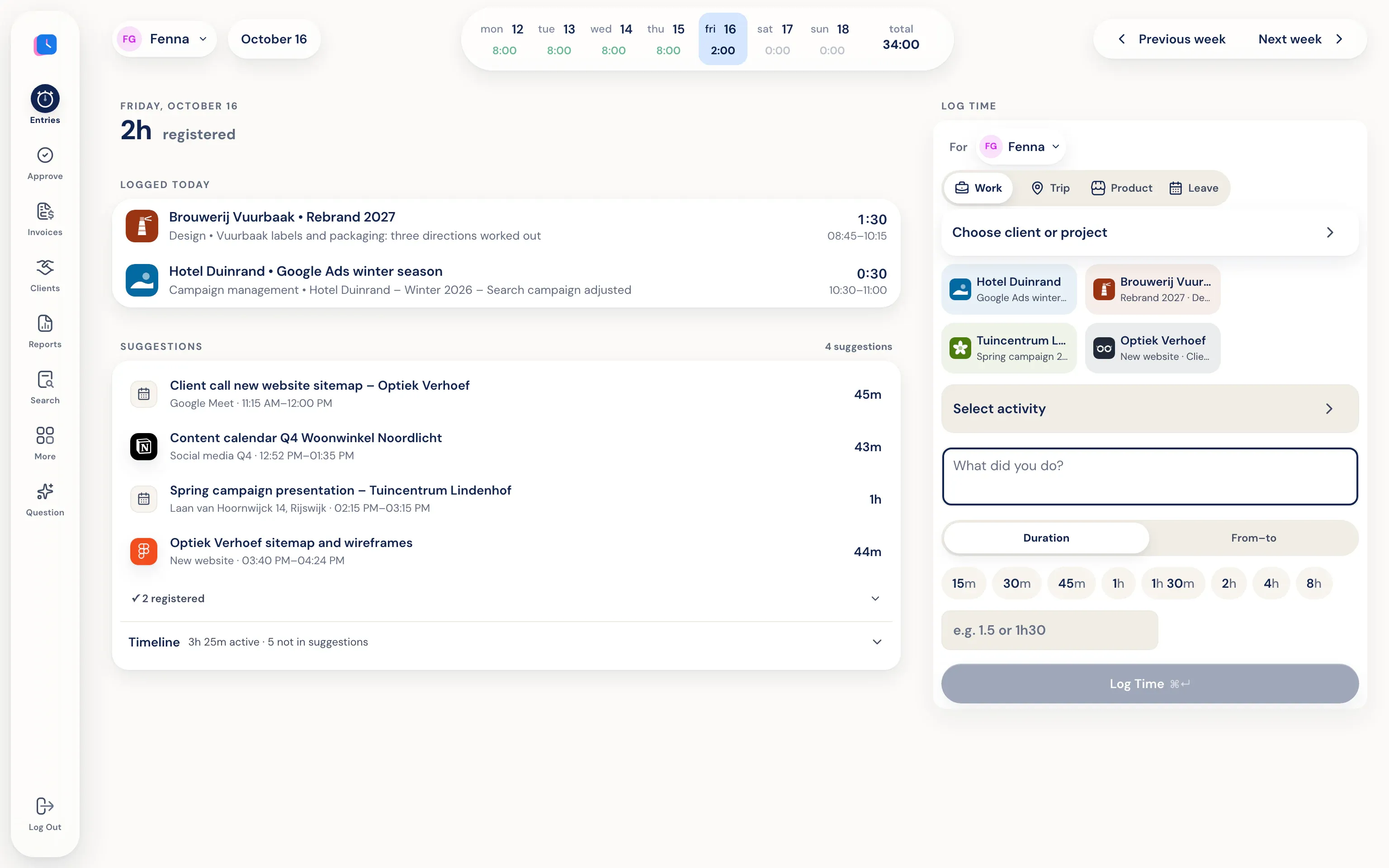
Your computer adds files, tools, and meetings to your personal timeline. All you do is check if the suggestion is right.
Creative work, with a clear view of the budget.
No timer to start. Half5 suggests entries by client and project, and you see the budget status.
- All your tools, one timeline
Design files, copy, ad accounts, and meetings all show up on your own timeline.
- Budget per project
You see how much has gone into a project before the client asks.
- Invoice without retyping
Approved hours go to Moneybird, Exact Online, WeFact, or e-Boekhouden.
You work. Half5 sets up your day.
The desktop app on your Mac or Windows PC tracks which programs, websites, files, commits, and AI sessions you used. Your calendar and phone add meetings, visits, and drives. Half5 turns these into suggestions, one for each block of work.
See where your time goes.
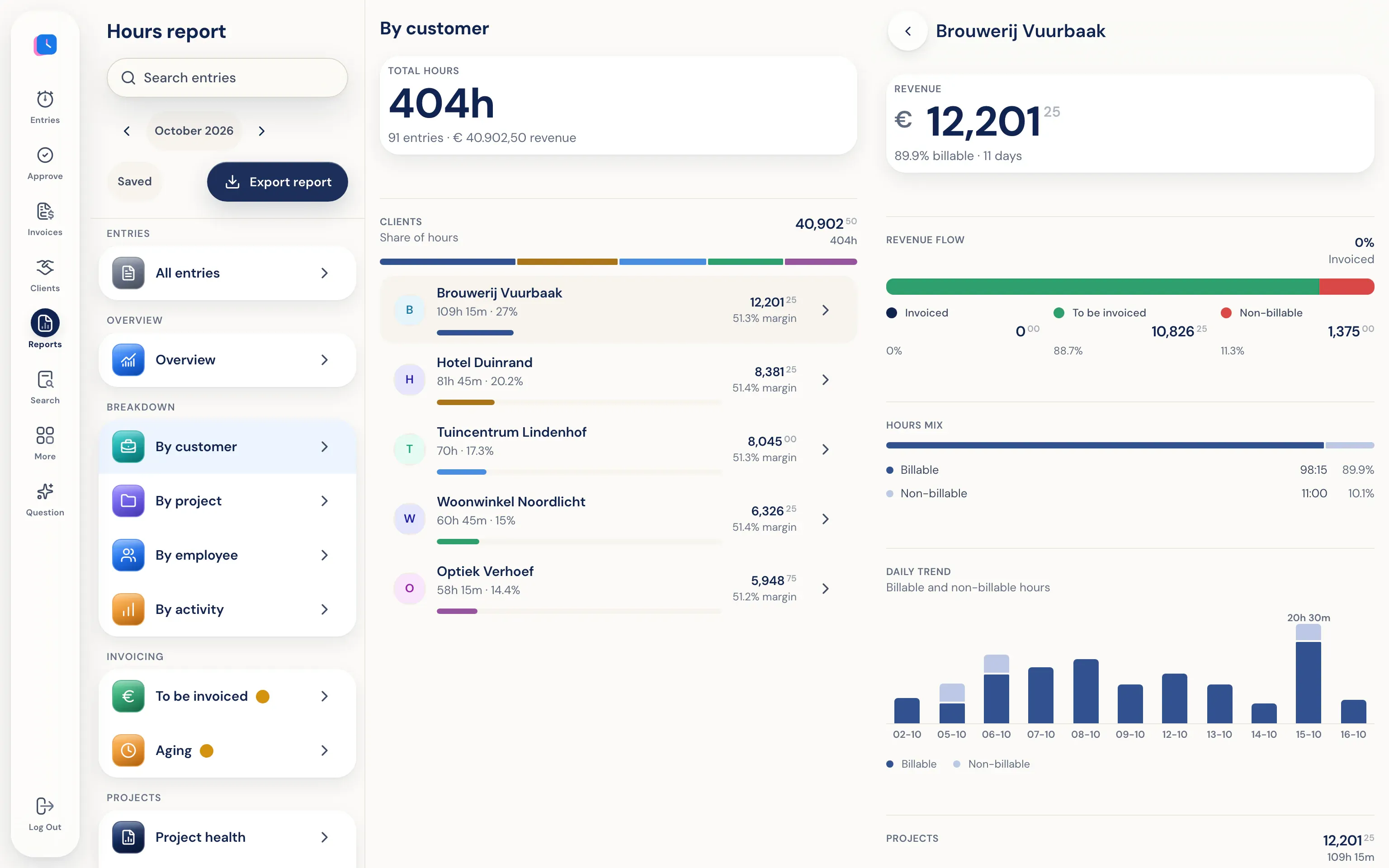
Hours report by client, project, employee, and activity, based on logged hours. See what still needs invoicing and which project is over budget. Export to PDF, Excel, or CSV.
Creative work needs space, not someone looking over your shoulder.
Your timeline is only on your own devices, end-to-end encrypted. Your agency and Half5 can't open it, so they can't see how long you searched for inspiration. The agency only sees the hours you submit.
Go to the trust center- Only you see your timeline Your computer and phone put your day on a timeline that stays only on your own devices, end-to-end encrypted. Your manager, admins, and Half5 can't access it.
- Your manager sees what you submit Your manager and admins can see the hours, drives, and leave you submit, and approve them weekly. Colleagues without that role can't see them.