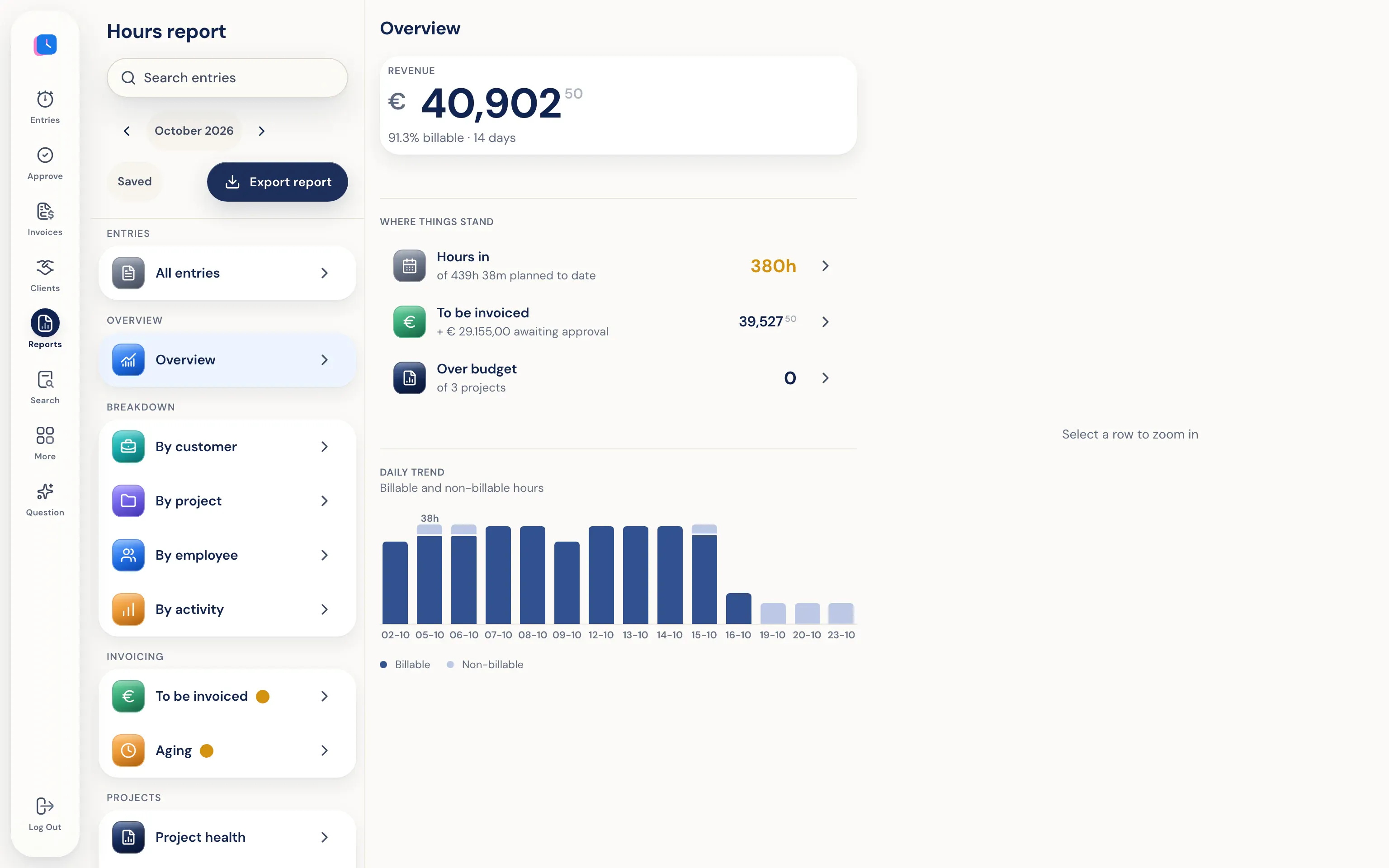
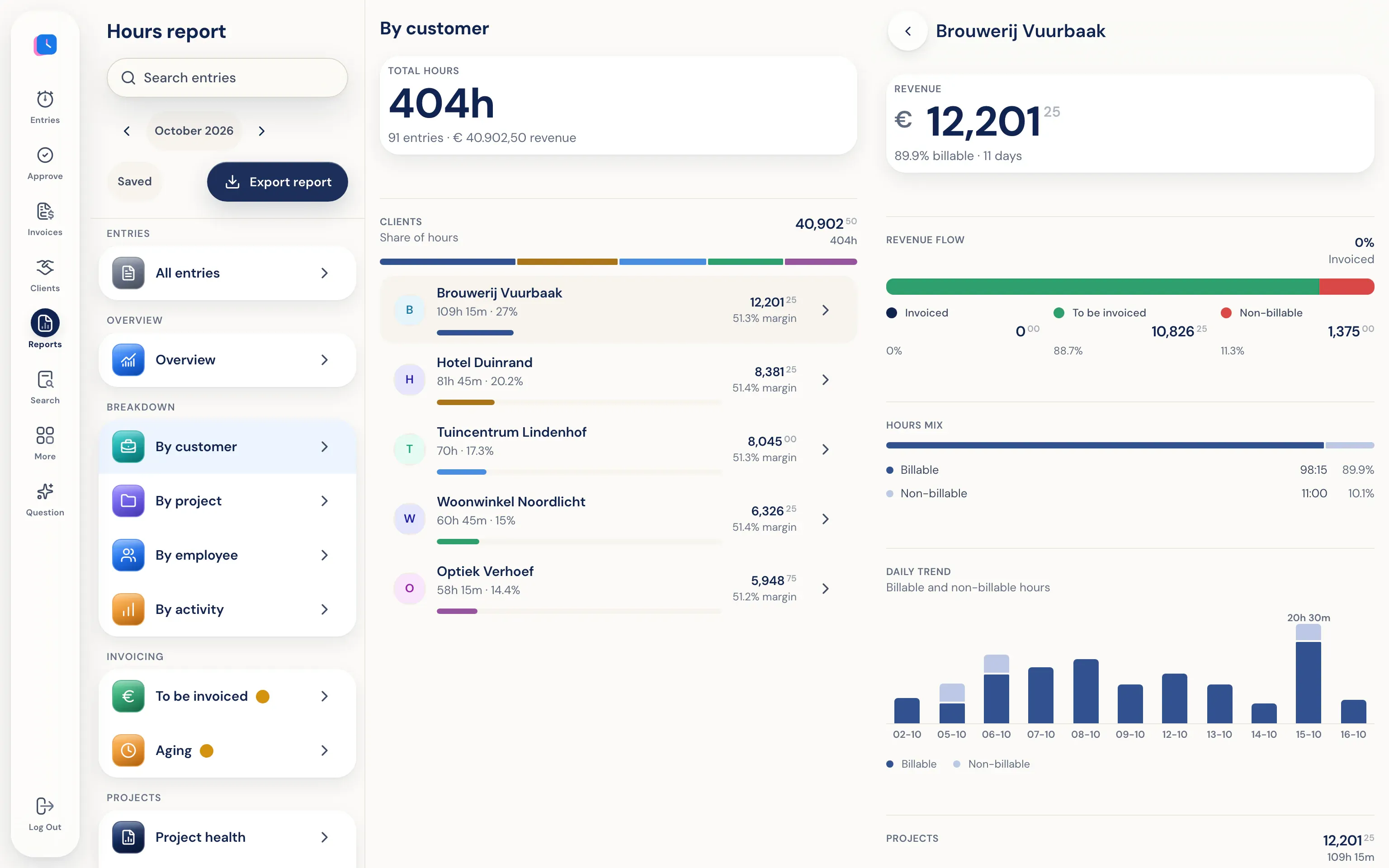
See where your time goes. From logged hours.
Reports by client, project, activity, and employee, based on the hours, leave, and drives people log. An admin sees the whole organization, a department manager sees their department, and an employee only sees their own hours. The personal timeline isn't included and can't be accessed.
What's included in the reports.
- Logged hours only
Every number comes from hours, leave, and trips people entered themselves. Hours still pending approval are included and shown separately. The timeline isn't counted anywhere.
- Per person too
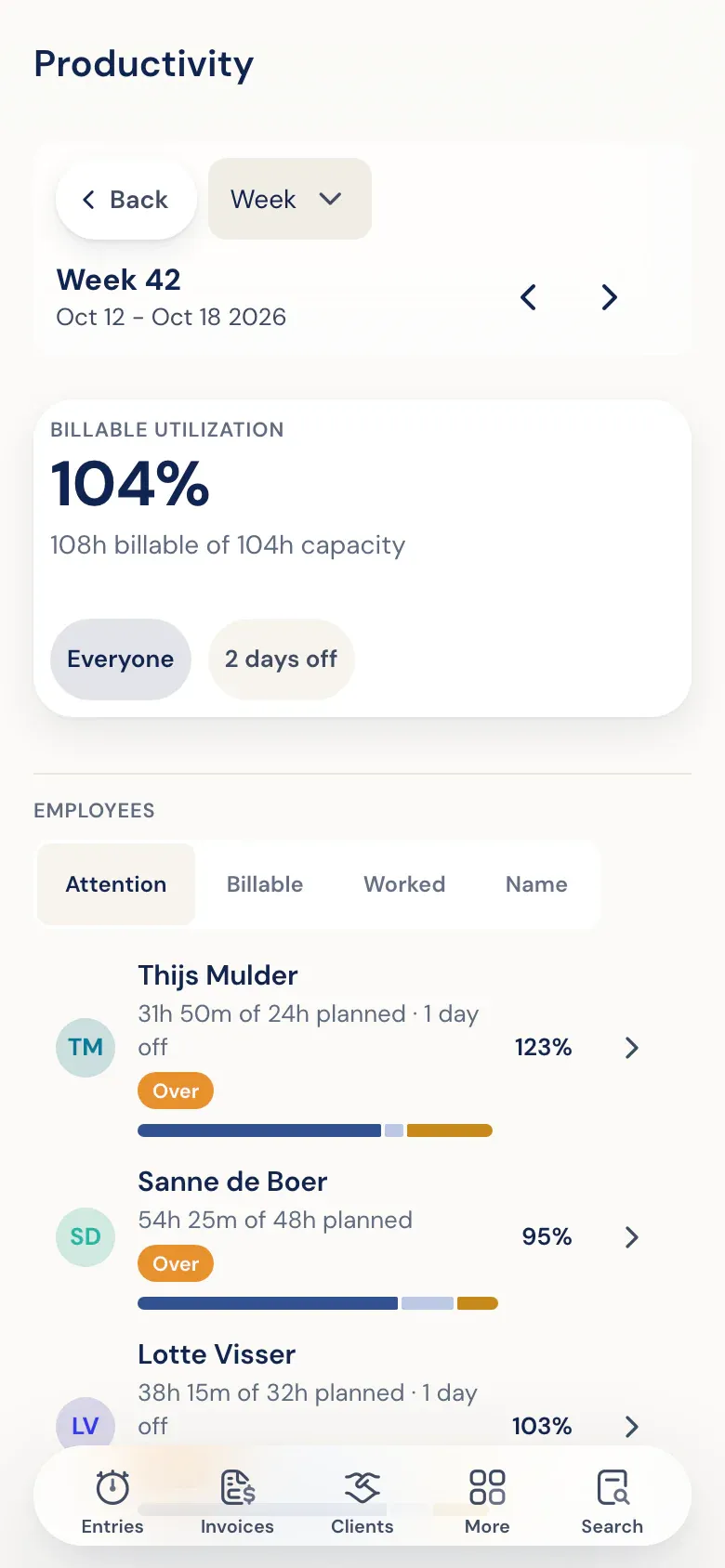
Team performance shows revenue and effort per employee. Capacity & utilization compares planned and worked hours, so overtime stands out. Absence shows who took what kind of leave.
- Billable alongside non-billable
How much time went to clients and how much to internal work, by client, project, and activity.
- Filter and export
Filter by client, project, team member, status, or period and export to PDF, Excel, or CSV.
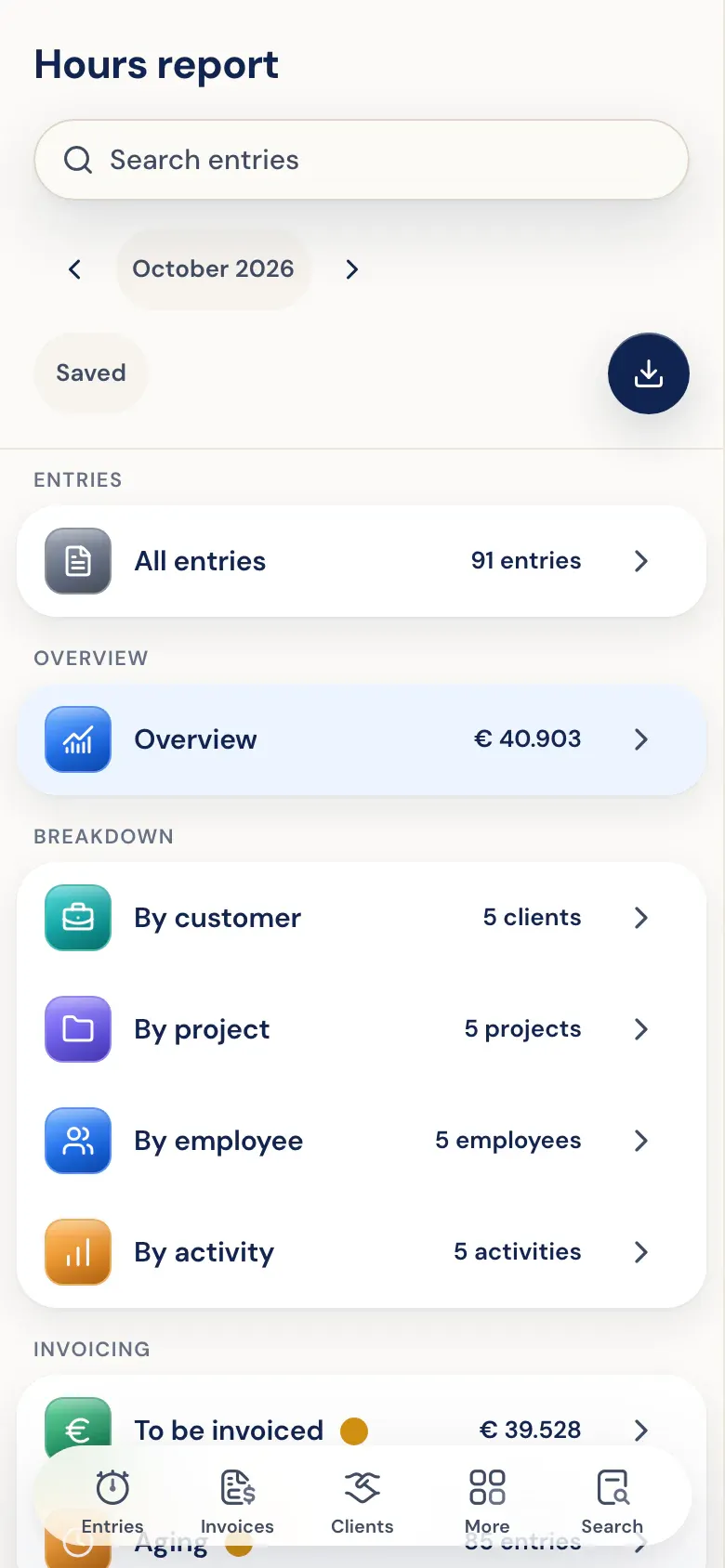
Revenue, hours, and what's left to invoice.
The overview shows revenue, billable hours, what still needs to be invoiced, and how many entries are waiting for approval. Click a row to see the entries behind it.