You help clients all day. Every question counts.
A VAT question by email, a meeting about the annual accounts, an hour in a case file. Half5 puts each one on your timeline as a suggestion, even during deadline week. You pick the client and confirm.
- Your timeline stays yours
- Mac, Windows, iPhone, Android and web

It's March. Your calendar is full, your timesheet is empty.
During the busiest weeks, logging hours is the first thing to slip. That's when most of the work happens in between.
- 09:40 Can I ask you something quickly?
A client emails about the company car. Ten minutes of advice that never gets recorded.
- 14:20 One more check of the numbers
A correction to a file that was already ‘done’. The work is real, but it doesn’t fit anywhere anymore.
- 17:55 Month-end
Everyone still needs to fill in their hours before invoices can go out. You too.
Half5 lines up meetings, emails and file work as suggestions. You check the client and the duration.
From client request to invoice, no retyping needed.
Half5 fits how your firm already works: per client, per engagement, with a review before anything is invoiced.
- Per client and project
Proposals go straight to the right client, with your own rates and activities.
- Approve before finance
A partner or team lead approves hours before they go on an invoice.
- Your own accounting software
Invoices go to Moneybird, Exact Online, WeFact, or e-Boekhouden.
You work. Half5 sets up your day.
The desktop app on your Mac or Windows PC tracks which programs, websites, files, commits, and AI sessions you used. Your calendar and phone add meetings, visits, and drives. Half5 turns these into suggestions, one for each block of work.
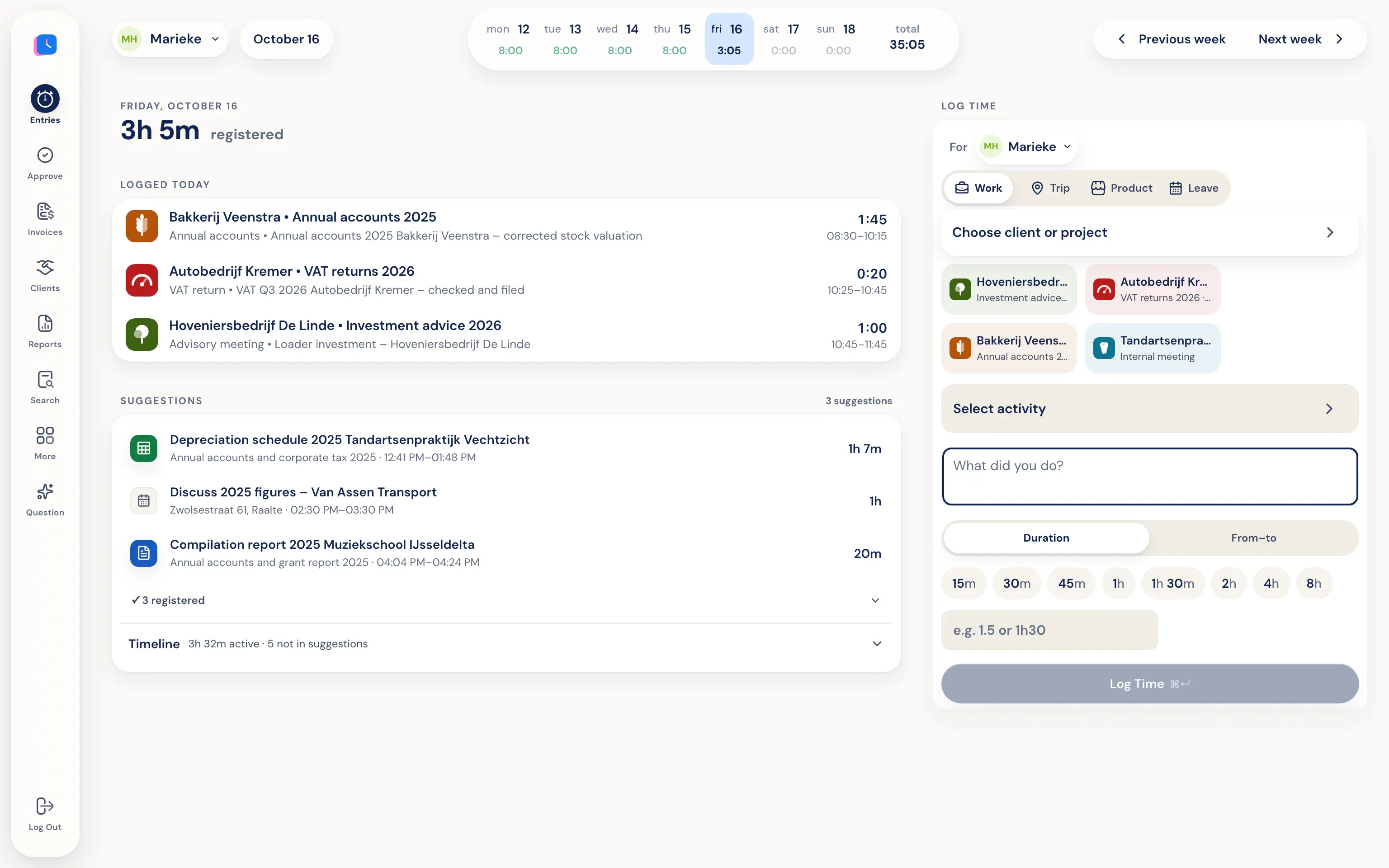
One calm review per week.
Managers see weekly logs per person, including leave and trips. Approve, or reject with a reason. Someone else approves your own hours. They can’t see the timeline behind those hours.
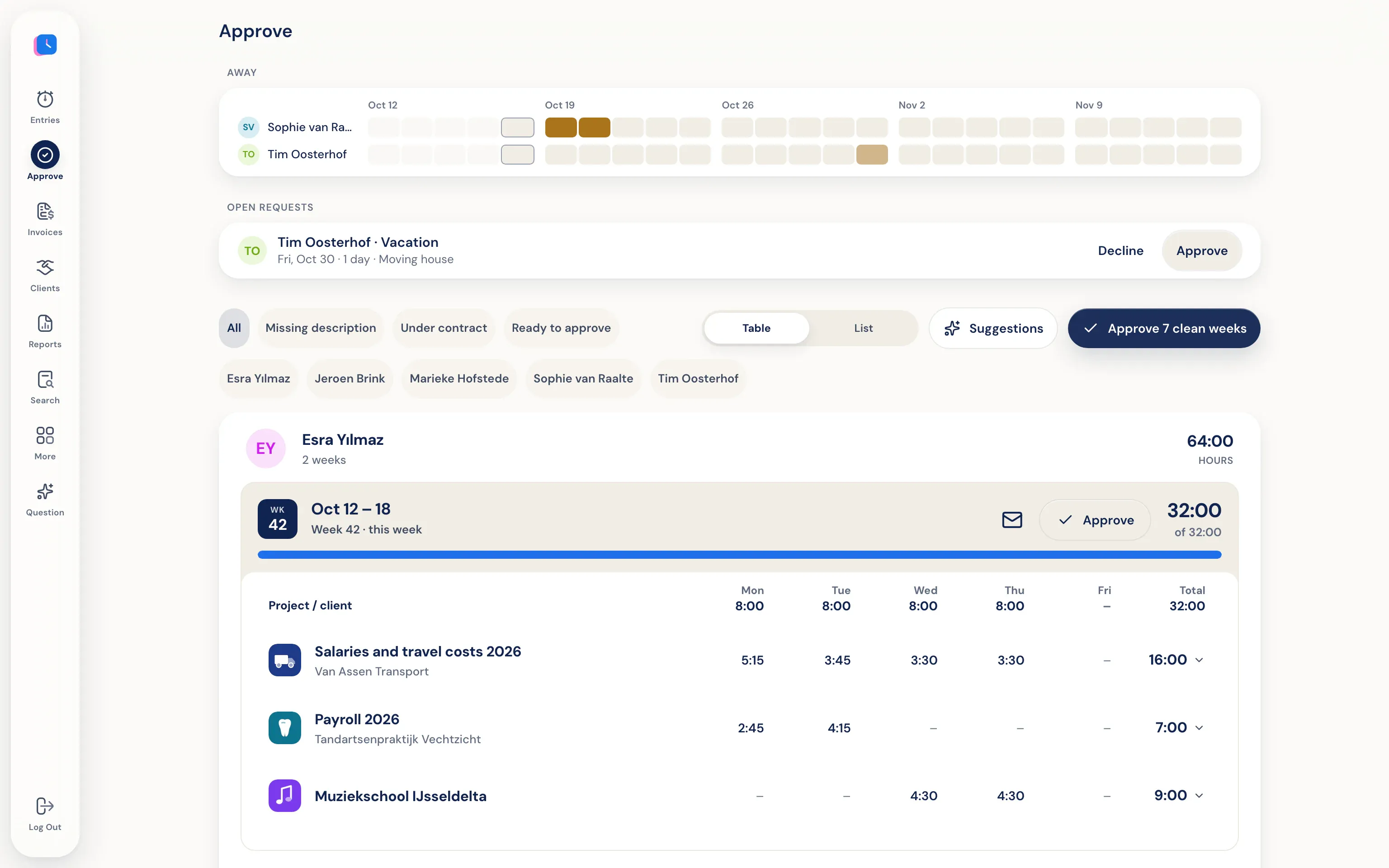
Trust is your business—even inside your own firm.
Your timeline is only on your own devices and syncs end-to-end encrypted. Nobody at the firm can open it—not a partner, not an admin, not even Half5. The firm only sees the hours you submit.
Go to the trust center- Only you see your timeline Your computer and phone put your day on a timeline that stays only on your own devices, end-to-end encrypted. Your manager, admins, and Half5 can't access it.
- Your manager sees what you submit Your manager and admins can see the hours, drives, and leave you submit, and approve them weekly. Colleagues without that role can't see them.