Drawing, calculating, meeting. All on the right project.
A revision that came back again, a calculation for a colleague, a site meeting that ran long. Half5 remembers which project you worked on, so your budget reflects reality.
- Your timeline stays yours
- Mac, Windows, iPhone, Android and web

The project ran over. No one knows exactly where the hours went.
Large projects run over months and phases. The small tasks in between end up in the wrong place—or nowhere at all.
- 09:50 Revision D, or was it E?
After the fifth round, you can't tell which hours went with which version.
- 13:30 The meeting that ran over
Planned for an hour, took two, plus the drive there.
- 16:40 A question from the contractor
Looking up a detail. It’s part of a phase that should have been done.
Half5 links drawings, emails and meetings to the right project. All you do is check if it's correct.
Stay on top of projects that last for months.
Hours are logged per project and activity, so you see where the budget stands while there's still time to adjust.
- Your CAD and calculation work
Programs and files on your computer become project suggestions.
- Budget per project
Reports show where the hours go, before the budget runs out.
- Drives to the job site
Log drives in the same app, on the same project.
See where your time goes.
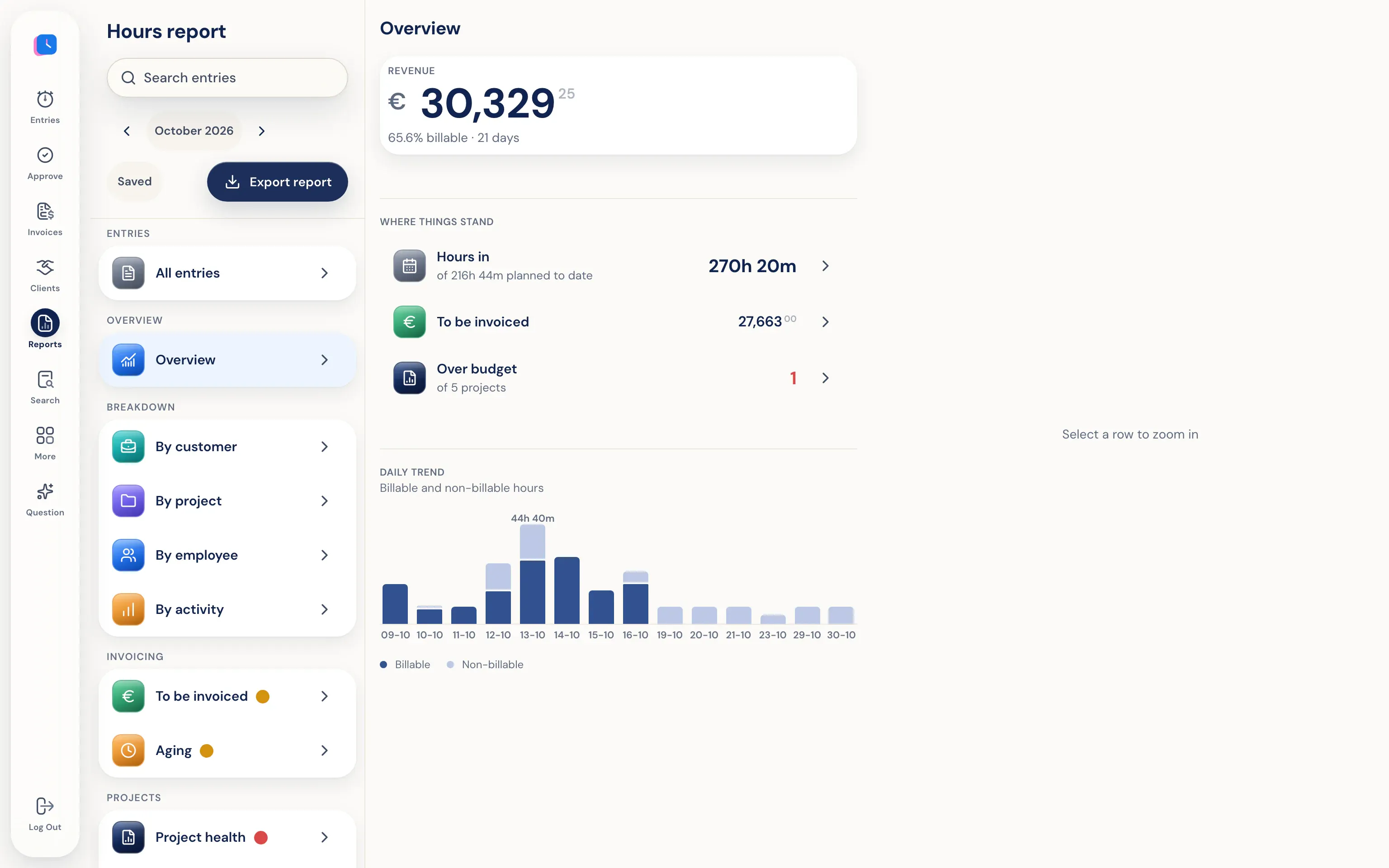
Hours report by client, project, employee, and activity, based on logged hours. See what still needs invoicing and which project is over budget. Export to PDF, Excel, or CSV.
The firm sees your hours, not your timeline.
Your timeline is only on your own devices, end-to-end encrypted. Project leads, admins, and Half5 can't open it. The agency only sees the hours you submit, with project and activity.
Go to the trust center- Only you see your timeline Your computer and phone put your day on a timeline that stays only on your own devices, end-to-end encrypted. Your manager, admins, and Half5 can't access it.
- Your manager sees what you submit Your manager and admins can see the hours, drives, and leave you submit, and approve them weekly. Colleagues without that role can't see them.