You build all day. You just confirm.
A bug here, a support request there, a meeting that ran long. Half5 remembers which project you worked on, so you can stay focused on the code.
- Your timeline stays yours
- Mac, Windows, iPhone, Android and web

Friday afternoon. Your git log is your only memory.
Commits, tickets, and your calendar side by side, and you still miss half of it. The work in between leaves no trace.
- 10:20 Helping a colleague for a minute
Twenty minutes debugging for another project. No ticket, so no hours logged.
- 13:45 The client who sends a quick message
‘Could you take a quick look?’ It turned into forty-five minutes, and nobody wrote it down.
- 16:50 The production issue
You drop everything to fix it. Afterward, you can't remember what you were working on.
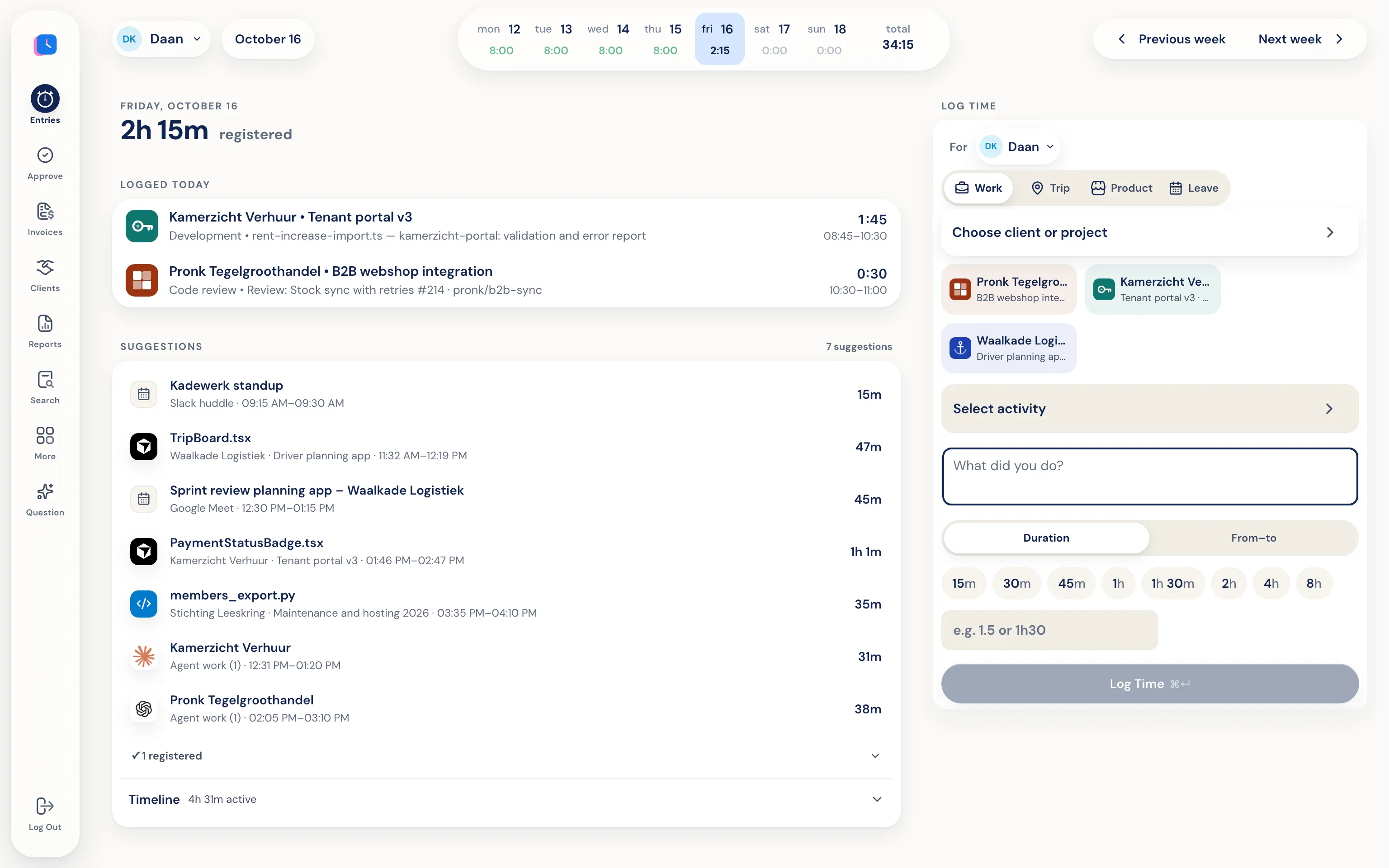
Your computer adds repositories, web pages, and meetings to your personal timeline. All you do is check if the suggestion is right.
Built for work spread across ten tools.
You don't have to change how you work. Half5 records which apps, sites, and files you use—right on your own computer—and suggests entries by client and project.
- Editor, browser, and terminal
Programs, websites, files, commits, and AI sessions appear on your timeline, grouped by project.
- One click at the end of the day
You confirm the suggestions or edit them. No timer to forget.
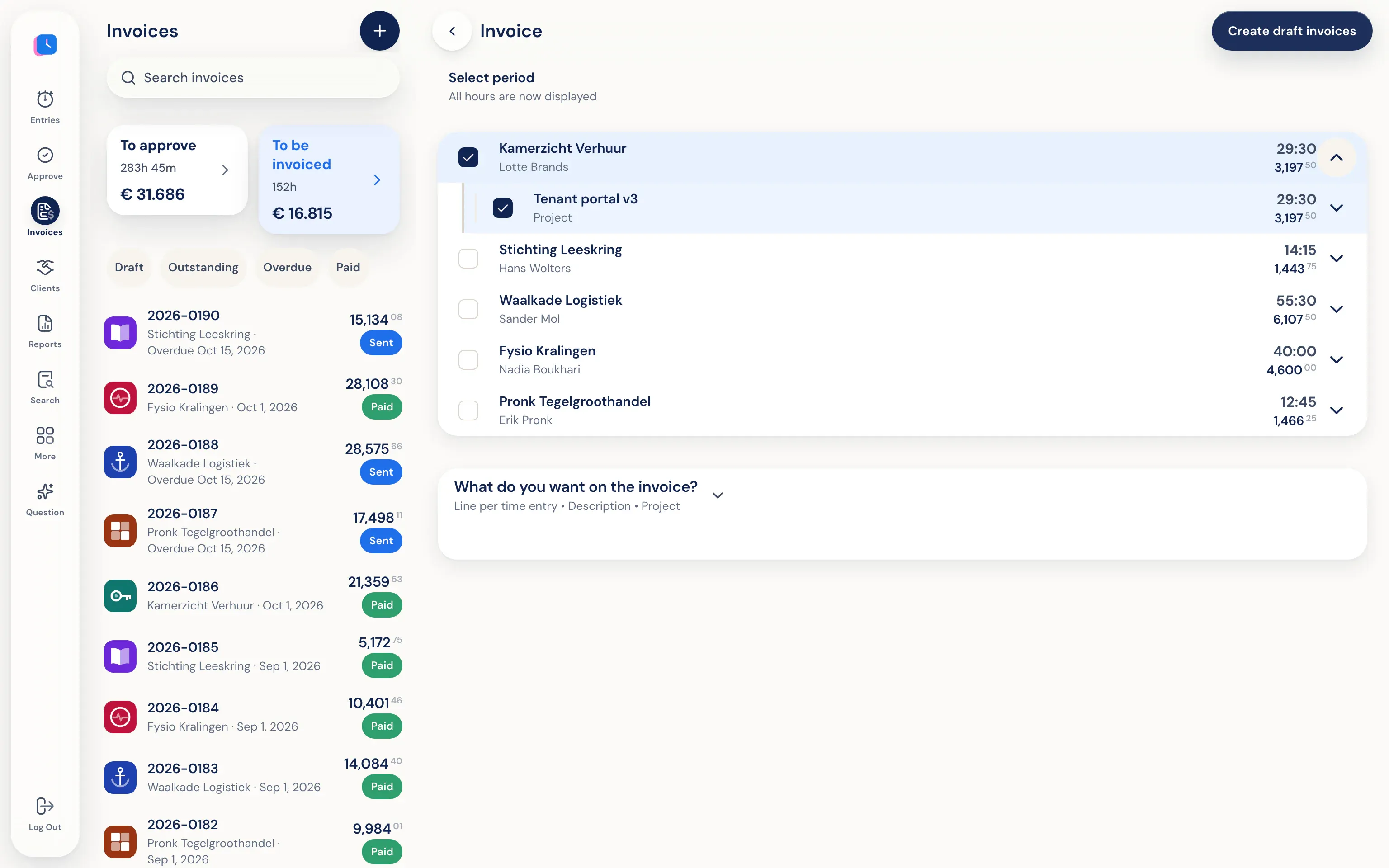
- Go straight to the invoice
Approved hours go to Moneybird, Exact Online, WeFact, or e-Boekhouden.
You work. Half5 sets up your day.
The desktop app on your Mac or Windows PC tracks which programs, websites, files, commits, and AI sessions you used. Your calendar and phone add meetings, visits, and drives. Half5 turns these into suggestions, one for each block of work.
Approved hours become an invoice.
Half5 creates draft invoices per client from approved hours (or, if approval is off, from all saved hours). Review them, download a PDF, or send them by email—optionally with a copy to your accountant.
Not a tool that watches over your shoulder.
Your timeline is only on your own devices, end-to-end encrypted. Your team lead, admins, and Half5 can't open it, so they can't see which tabs you had open. They only see the hours you submit.
Go to the trust center- Only you see your timeline Your computer and phone put your day on a timeline that stays only on your own devices, end-to-end encrypted. Your manager, admins, and Half5 can't access it.
- Your manager sees what you submit Your manager and admins can see the hours, drives, and leave you submit, and approve them weekly. Colleagues without that role can't see them.